
<dependency>
    <groupId>nz.net.ultraq.thymeleaf</groupId>
    <artifactId>thymeleaf-layout-dialect</artifactId>
</dependency>Migrating away from Thymeleaf Layout Dialect
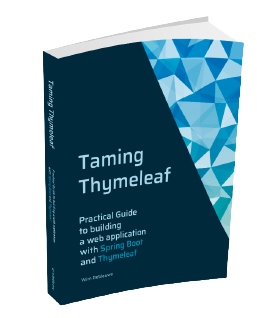
Interested in learning more about Thymeleaf? Check out my book
Taming Thymeleaf.
The book combines all of my Thymeleaf knowledge into an easy to follow step-by-step guide.
This blog post explains what the Thymeleaf Layout Dialect is, why you might want to stop using it, and how to migrate to a pure Thymeleaf solution using th:replace.
What is Thymeleaf Layout Dialect?
The Thymeleaf Layout Dialect is a third-party extension for Thymeleaf that adds a decorator-based layout system to your templates.
The idea is that you define a single layout template (the "decorator") that contains the common HTML structure of your pages: the <head>, a navigation bar, a footer, etc.
Individual page templates then declare which layout they want to use and only provide the content that fills in the variable parts.
This is a pattern you will recognize if you have ever used something like Apache Tiles or Sitemesh.
To use it, you add the Maven dependency:
Spring Boot’s auto-configuration picks it up automatically, so no further wiring is needed.
A layout template at src/main/resources/templates/layout/main.html might look like this:
layout/main.html
<!DOCTYPE html>
<html xmlns:th="http://www.thymeleaf.org"
      xmlns:layout="http://www.ultraq.net.nz/thymeleaf/layout">
<head>
    <meta charset="UTF-8">
    <title layout:title-pattern="$CONTENT_TITLE - My App">My App</title> (1)
    <link rel="stylesheet" th:href="@{/css/application.css}">
</head>
<body>
<header>
    <nav>...</nav>
</header>
<main layout:fragment="content"> (2)
    <!-- Page-specific content is injected here -->
</main>
<footer>...</footer>
</body>
</html>| 1 | The layout:title-pattern attribute automatically merges the title from the content page with the layout’s own title. |
| 2 | layout:fragment="content" marks the region that each page can override. |
A page template at src/main/resources/templates/home.html then looks like this:
home.html
<!DOCTYPE html>
<html xmlns:th="http://www.thymeleaf.org"
      xmlns:layout="http://www.ultraq.net.nz/thymeleaf/layout"
      layout:decorate="~{layout/main}"> (1)
<head>
    <title>Home</title>
</head>
<body>
<main layout:fragment="content"> (2)
    <h1>Welcome!</h1>
    <p>This is the home page.</p>
</main>
</body>
</html>| 1 | layout:decorate tells the dialect which layout template to use. |
| 2 | layout:fragment="content" provides the content that will replace the matching fragment in the layout. |
The result is that Thymeleaf renders a full HTML page with the layout’s structure and the page’s content injected into it. It is quite convenient and I have used it in my Taming Thymeleaf book as the primary way to handle page layouts.
Why migrate away from it?
Despite its convenience, there are a few reasons to consider replacing the Layout Dialect.
Written in Groovy
The dialect is implemented in Groovy. This is not a problem in itself — Groovy runs on the JVM just like Java — but it does bring along the full Groovy runtime as a transitive dependency. This makes startup a little slower and adds quite a bit of weight to your application without any real benefit if you are not otherwise using Groovy in your project.
Incompatible with GraalVM Native Image
If you want to compile your Spring Boot application to a GraalVM native image for faster startup and lower memory usage, the Layout Dialect is a blocker. The Groovy runtime relies heavily on dynamic class loading and reflection, which are fundamentally at odds with how native images work. You would need to switch to a pure Java layout solution anyway before you can build a native image.
Dependency breakage
Recently, issue #251 was filed against the dialect.
Upgrading to a version of Spring Boot that pulled in Groovy 5.0.4 caused a NullPointerException deep inside Groovy’s MetaClassImpl, completely breaking template rendering.
The root cause was a change in a Groovy internal that introduced a regression — something entirely outside the control of the dialect’s maintainer or its users.
The fix was a patch in Groovy 5.0.5, but it is a good reminder that depending on the Groovy runtime for a layout library adds a whole extra layer of things that can go wrong.
Migrating to pure Thymeleaf
Thymeleaf has built-in support for parameterized fragments that can be used to build a layout system without any additional library.
The key is the th:fragment attribute combined with fragment expressions and th:replace.
The new layout template
Update your layout template to declare itself as a parameterized fragment. It accepts the page title and the page content as parameters:
layout/main.html
<!DOCTYPE html>
<html xmlns:th="http://www.thymeleaf.org"
      th:fragment="layout(title, content)"> (1)
<head>
    <meta charset="UTF-8">
    <th:block th:replace="${title}"/> (2)
    <link rel="stylesheet" th:href="@{/css/application.css}">
</head>
<body>
<header>
    <nav>...</nav>
</header>
<th:block th:replace="${content}"/> (3)
<footer>...</footer>
</body>
</html>| 1 | The entire <html> element becomes a named fragment that accepts two parameters: title and content. |
| 2 | The title parameter is a fragment expression — it will be replaced in full by whatever the calling page passes as its <title> element. |
| 3 | Same for content — the calling page’s <main> element is placed here. |
The updated page templates
Each page template now uses th:replace on the root element to invoke the layout fragment, passing in its own <title> and <main> elements as fragment expressions:
home.html
<!DOCTYPE html>
<html xmlns:th="http://www.thymeleaf.org"
      th:replace="~{layout/main :: layout(~{::title}, ~{::main})}"> (1)
<head>
    <title>Home - My App</title> (2)
</head>
<body>
<main> (3)
    <h1>Welcome!</h1>
    <p>This is the home page.</p>
</main>
</body>
</html>| 1 | th:replace on the <html> element means: replace the entire page with the result of calling the layout fragment in layout/main.html, passing the page’s <title> and <main> elements as arguments. |
| 2 | Write the full title directly in the <title> element. |
| 3 | The <main> element holds all the page-specific content. |
That is all there is to it. No extra dependency, no Groovy runtime, and no dialect-specific attributes in your templates.
Optional sections
With the Layout Dialect you can define a fragment that is optional — if a page does not provide a matching layout:fragment, the block in the layout renders empty.
A common use case is a page-scripts section just before </body> where individual pages can inject their own <script> tags.
The equivalent in pure Thymeleaf uses named fragment parameters combined with th:with.
The key is to not declare the optional parameter in the fragment signature, but instead use th:with with the Elvis operator to pick it up from the calling context when present and default to null when absent.
Add a th:with to the layout’s <html> element and guard the optional block with th:if:
layout/main.html
<!DOCTYPE html>
<html xmlns:th="http://www.thymeleaf.org"
      th:fragment="layout(title, content)"
      th:with="scripts=${scripts?:null}"> (1)
<head>
    <meta charset="UTF-8">
    <th:block th:replace="${title}"/>
    <link rel="stylesheet" th:href="@{/css/application.css}">
</head>
<body>
<header>
    <nav>...</nav>
</header>
<th:block th:replace="${content}"/>
<footer>...</footer>
<th:block th:if="${scripts != null}"> (2)
    <th:block th:replace="${scripts}"/>
</th:block>
</body>
</html>| 1 | The scripts parameter is intentionally not declared in the fragment signature.
Instead, th:with="scripts=${scripts?:null}" picks it up from the calling context if it was passed as a named parameter, and safely defaults to null otherwise. |
| 2 | The guard must be a wrapping th:block rather than th:if and th:replace on the same element, because th:replace has a higher attribute-processing priority than th:if in Thymeleaf. |
Pages that do not need extra scripts simply omit the scripts parameter.
Using named parameters makes it clear what is being passed:
about.html
<!DOCTYPE html>
<html xmlns:th="http://www.thymeleaf.org"
      th:replace="~{layout/main :: layout(title=~{::title}, content=~{::main})}"> (1)
<head>
    <title>About - My App</title>
</head>
<body>
<main>
    <h1>About</h1>
</main>
</body>
</html>| 1 | scripts is not passed at all — it resolves to null in the layout, so the guard suppresses it. |
Pages that do need extra scripts pass a fragment expression selecting their script element(s):
home.html
<!DOCTYPE html>
<html xmlns:th="http://www.thymeleaf.org"
      th:replace="~{layout/main :: layout(title=~{::title}, content=~{::main}, scripts=~{::script})}"> (1)
<head>
    <title>Home - My App</title>
</head>
<body>
<main>
    <h1>Welcome!</h1>
    <p>This is the home page.</p>
</main>
<script th:src="@{/js/home.js}"></script> (2)
</body>
</html>| 1 | ~{::script} selects the <script> element(s) from this page and passes them to the layout. |
| 2 | The <script> tag is written in the page template; the layout places it just before </body>. |
For required parameters (those declared in the fragment signature, like title and content), you can always pass the empty fragment expression ~{} if you genuinely have nothing to contribute.
For example, layout(title=~{}, content=~{::main}) would render an empty <title> element.
|
Removing the dependency
Once all your templates are updated, remove the Layout Dialect dependency from your pom.xml:
<dependency>
    <groupId>nz.net.ultraq.thymeleaf</groupId>
    <artifactId>thymeleaf-layout-dialect</artifactId>
</dependency>
Also remove the xmlns:layout namespace declaration from any template files that still have it.
Conclusion
The Thymeleaf Layout Dialect is a convenient library that has served many projects well — including the examples in Taming Thymeleaf. However, its dependency on the Groovy runtime makes it slower than necessary, blocks GraalVM native image compilation, and introduces a category of dependency breakage that is hard to predict or control.
Thymeleaf’s built-in parameterized fragment support provides the same layout capabilities with zero extra dependencies.
The migration is straightforward: convert your layout template to a parameterized fragment, and update each page template to use th:replace to invoke it.
If you have any questions or remarks, feel free to post a comment at GitHub discussions.
If you want to be notified in the future about new articles, as well as other interesting things I'm working on, join my mailing list!
I send emails quite infrequently, and will never share your email address with anyone else.