In part 1 we created a Thymeleaf component library that can be used in a Spring Boot application. There is a sample application that uses the library, and there is full live reload support for changing the CSS and JS files in the library. We will create an actual component in the library and use it in the sample application.
Vision for the component usage
In the most straighforward case, we would have to use a component in a Spring Boot application like this:
<div th:replace="~{tcl/components/button :: button(label='Submit', primary='true'}"></div>
<div th:replace="~{tcl/components/button :: button('Cancel'}"></div>
This works out of the box, but there are some drawbacks to this approach:
-
The component is not very discoverable, as the user has to know the exact path to the component template.
-
It is impossible to allow users to add arbitrary attributes to the component, as the
th:replaceattribute will replace the entire<div>element with the component template. This is needed for example to addhx-*attributes to a button when using the htmx library. -
There is no support for arbitrary content inside the component (Usually called "slots" in other component libraries), as the
th:replaceattribute will replace the entire<div>element with the component template.
Ideally, we want to be able to use the component in a Spring Boot application like this:
<tcl:button primary>Submit</tcl:button>
<tcl:button>Cancel</tcl:button>
Custom dialect
To achieve this, we will create a custom Thymeleaf dialect that will allow us to use the tcl:button tag in our Spring Boot application.
package com.wimdeblauwe.examples.tcl;

import com.wimdeblauwe.examples.tcl.processor.ComponentElementProcessor;
import java.util.Set;
import org.thymeleaf.dialect.AbstractProcessorDialect;
import org.thymeleaf.processor.IProcessor;
import org.thymeleaf.standard.StandardDialect;

public class TclDialect extends AbstractProcessorDialect {

    public static final String PREFIX = "tcl"; (1)
    private static final String NAME = "Thymeleaf Component Library";

    public TclDialect() {
        super(NAME, PREFIX, StandardDialect.PROCESSOR_PRECEDENCE);
    }

  @Override
  public Set<IProcessor> getProcessors(String dialectPrefix) {
    return Set.of(new ComponentElementProcessor(dialectPrefix)); (2)
  }
}| 1 | Choose a unique prefix for your dialect, as this will be used in the tag names of your components. |
| 2 | The ComponentElementProcessor is a custom processor that we will create in the next section. |
The dialect uses the ComponentElementProcessor to process the tcl:button tag and replace it with the actual component template:
package com.wimdeblauwe.examples.tcl.processor;

import org.thymeleaf.context.ITemplateContext;
import org.thymeleaf.model.IModel;
import org.thymeleaf.model.IModelFactory;
import org.thymeleaf.model.IOpenElementTag;
import org.thymeleaf.model.IProcessableElementTag;
import org.thymeleaf.model.ITemplateEvent;
import org.thymeleaf.processor.element.IElementModelProcessor;
import org.thymeleaf.processor.element.IElementModelStructureHandler;
import org.thymeleaf.processor.element.MatchingAttributeName;
import org.thymeleaf.processor.element.MatchingElementName;
import org.thymeleaf.standard.StandardDialect;
import org.thymeleaf.templatemode.TemplateMode;

public class ComponentElementProcessor implements IElementModelProcessor {

  private final String dialectPrefix;
  private final MatchingElementName matchingElementName;

  public ComponentElementProcessor(String dialectPrefix) {
    this.dialectPrefix = dialectPrefix;
    this.matchingElementName = MatchingElementName.forAllElementsWithPrefix(TemplateMode.HTML, dialectPrefix);
  }

  @Override
  public void process(ITemplateContext context, IModel model, IElementModelStructureHandler structureHandler) {
    IModelFactory modelFactory = context.getModelFactory();

    ITemplateEvent first = model.get(0);
    if (!(first instanceof IProcessableElementTag openTag)) {
      return;
    }

    String name = componentName(openTag);

    // Replace the element with a fragment call to the component template, e.g. <tcl:button> ->
    // ~{tcl/components/button :: button}.
    final String fragmentExpression = "~{tcl/components/" + name + " :: " + name + "}";
    IOpenElementTag block = modelFactory.createOpenElementTag("th:block");
    block = modelFactory.setAttribute(block, "th:replace", fragmentExpression);

    model.reset();
    model.add(block);
    model.add(modelFactory.createCloseElementTag("th:block"));
  }

  @Override
  public MatchingElementName getMatchingElementName() {
    return matchingElementName;
  }

  @Override
  public MatchingAttributeName getMatchingAttributeName() {
    return null;
  }

  @Override
  public TemplateMode getTemplateMode() {
    return TemplateMode.HTML;
  }

  @Override
  public int getPrecedence() {
    return StandardDialect.PROCESSOR_PRECEDENCE;
  }

  /** Derives the component name from the tag, e.g. {@code tcl:button -> button}. */
  private String componentName(IProcessableElementTag openTag) {
    String complete = openTag.getElementCompleteName();
    String prefix = dialectPrefix + ":";
    return complete.startsWith(prefix) ? complete.substring(prefix.length()) : complete;
  }
}
The processor will replace the <tcl:button> tag with a fragment call to the component template, e.g. ~{tcl/components/button :: button}.
Add the dialect to the auto configuration class of the component library:
@AutoConfiguration
@EnableConfigurationProperties(TclProperties.class)
public class TclAutoConfiguration {

  ...

  @Bean
  @ConditionalOnMissingBean
  public TclDialect tclDialect() {
    return new TclDialect();
  }
}
Button component
We can test this by creating a very simple button component in the component library.
Add src/main/resources/templates/tcl/components/button.html to the component library:
<!doctype html>
<html xmlns:th="http://www.thymeleaf.org">
<body>
  <button th:fragment="button"
          class="tcl-button"
          >Button</button>
</body>
</html>
Also create a CSS file for the button component in src/main/resources/static/css/button.css:
.tcl-button {
  border-radius: 0.375rem;
  background-color: #d97706;
  padding: 0.375rem 0.625rem;
  font-size: 0.875rem;
  line-height: 1.25rem;
  font-weight: 600;
  color: #ffffff;
  box-shadow: 0 1px 2px 0 rgb(0 0 0 / 0.05);
  border: none;
  cursor: pointer;
  transition: background-color 0.15s ease-in-out;
}

.tcl-button:hover {
  background-color: #f59e0b;
}

.tcl-button:focus-visible {
  outline: 2px solid #d97706;
  outline-offset: 2px;
}
Update the sample application to use the button component:
...
<div layout:fragment="content">
  ...
  <h3>Button</h3>
  <div>
    <tcl:button></tcl:button>
  </div>
</div>
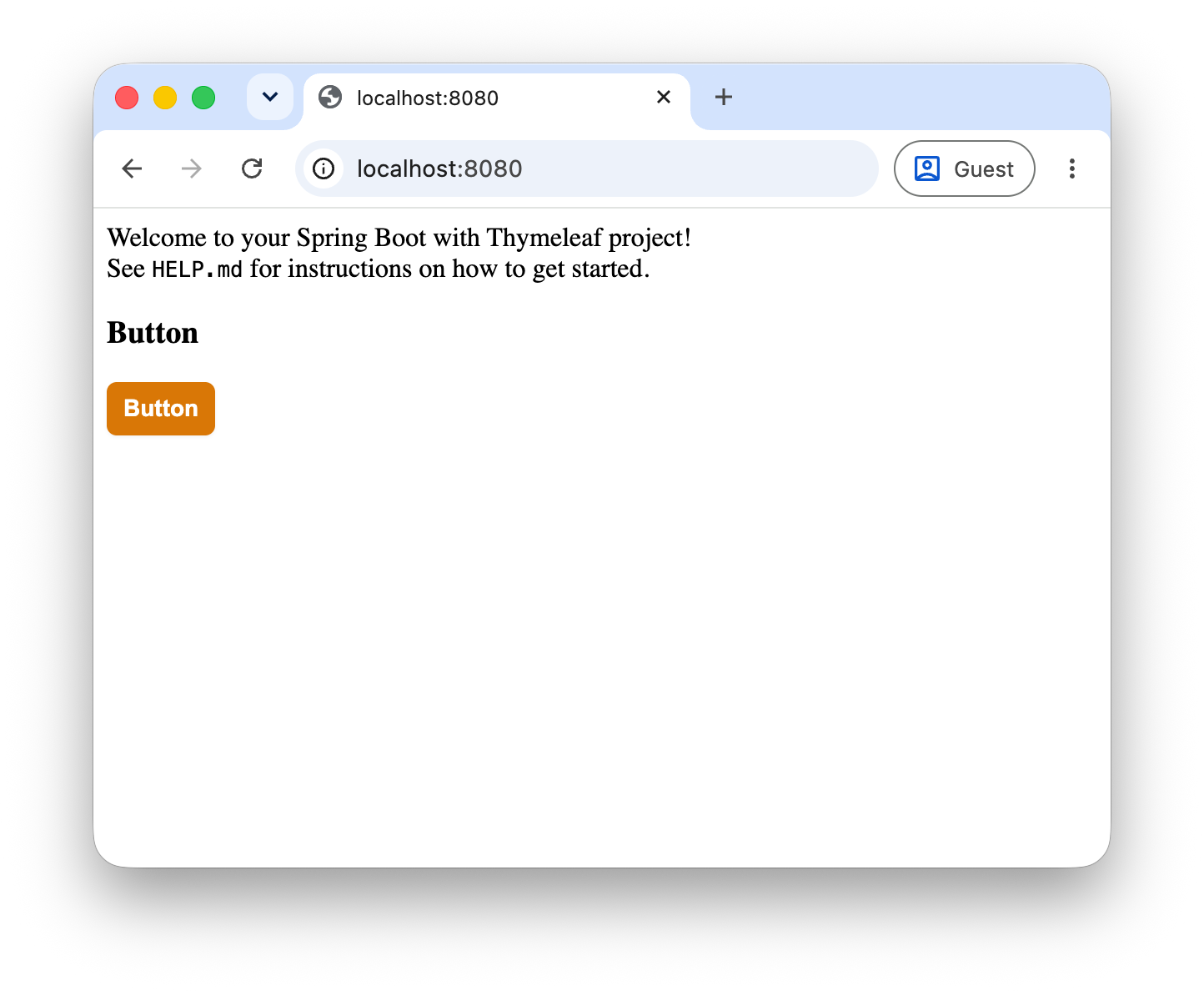
If you restart the application from IntelliJ IDEA, the browser will show the button component on the index page:
You should be able to play with the CSS file in the component library and see the changes reflected in the browser without restarting the application. However, changing the HTML template of the button component does not work.
To fix that, we will allow to configure an FileTemplateResolver which will resolve the component templates from the file system instead of the classpath.
Update TclAutoConfiguration to add a FileTemplateResolver bean:
  @Bean
  @ConditionalOnProperty("tcl.dev.templates-path")
  public FileTemplateResolver tclDevTemplateResolver(TclProperties properties) {
    FileTemplateResolver resolver = new FileTemplateResolver();
    resolver.setPrefix(properties.dev().templatesPath());
    resolver.setSuffix(".html");
    resolver.setTemplateMode(TemplateMode.HTML);
    resolver.setCharacterEncoding("UTF-8");
    resolver.setCacheable(false);
    resolver.setCheckExistence(true);
    resolver.setOrder(Ordered.HIGHEST_PRECEDENCE);
    return resolver;
  }
This uses a new property tcl.dev.templates-path to configure the path:
@ConfigurationProperties(prefix = "tcl")
public record TclProperties(@DefaultValue DevProperties dev) {

  record DevProperties(String viteServerUrl, String templatesPath) {

  }
}
Update application-local.properties to set the property:
spring.thymeleaf.cache=false
spring.web.resources.chain.cache=false

tcl.dev.vite-server-url=http://localhost:5174
tcl.dev.templates-path=../../src/main/resources/templates/

vite.mode=dev
This works, but it requires to refresh the browser manually after changing the component template.
By adding a small script to vite.config.js of the sample application, we can automatically refresh the browser when a component template is changed:
import {defineConfig} from 'vite';
import path from 'path';
import springBoot from '@wim.deblauwe/vite-plugin-spring-boot';

const libraryTemplatesDir = path.resolve(__dirname, '../../src/main/resources/templates'); (1)

export default defineConfig({
    plugins: [
       springBoot({
            fullCopyFilePaths: {
                exclude: [path.join(libraryTemplatesDir, '**')] (2)
            }
        }),
        watchLibraryTemplates() (3)
    ],
    root: path.join(__dirname, './src/main/resources'),
    build: {
        manifest: true,
        rollupOptions: {
            input: [
                '/static/css/application.css'
            ]
        },
        outDir: path.join(__dirname, `./target/classes/static`),
        copyPublicDir: false,
        emptyOutDir: true
    },
    server: {
        proxy: {
            // Proxy all backend requests to Spring Boot except for static assets
            '^/(?!static|assets|@|.*\\.(js|css|png|svg|jpg|jpeg|gif|ico|woff|woff2)$)': {
                target: 'http://localhost:8080',  // Proxy to Spring Boot backend
                changeOrigin: true,
                secure: false
            }
        },
        watch: {
            ignored: ['target/**']
        }
    }
});

function watchLibraryTemplates() {
    return {
        name: 'watch-tcl-library-templates',
        configureServer(server) {
            server.watcher.add(libraryTemplatesDir);
            const reload = (file) => {
                if (file.startsWith(libraryTemplatesDir)) {
                    server.ws.send({type: 'full-reload'}); (4)
                }
            };
            server.watcher.on('change', reload);
            server.watcher.on('add', reload);
            server.watcher.on('unlink', reload);
        }
    };
}| 1 | Point to the location of the component library templates so that Vite can watch them for changes. |
| 2 | Don’t let the Spring Boot plugin copy the watched library templates.
We read them directly using the FileTemplateResolver in the component library. |
| 3 | Register a custom Vite plugin which is the local watchLibraryTemplates function. |
| 4 | Trigger a full reload of the browser when a component template is changed. |
Now you can change the button component template in the component library and see the changes reflected in the browser without restarting the application or manually refreshing the browser.
Element attributes
We can also add support for arbitrary attributes on the component element. To do so, we need gather all attributes when we process the element and pass them to the component template.
Update the ComponentElementProcessor to gather all attributes:
public class ComponentElementProcessor implements IElementModelProcessor {
  ...

  @Override
  public void process(ITemplateContext context, IModel model, IElementModelStructureHandler structureHandler) {
    ...
    String name = componentName(openTag);

    Map<String, String> attrs = getAttributesAsMap(openTag); (1)

    structureHandler.setLocalVariable("attrs", attrs); (2)
    ...
  }

  private static Map<String, String> getAttributesAsMap(IProcessableElementTag openTag) {
    Map<String, String> attrs = new LinkedHashMap<>();
    for (var attribute : openTag.getAllAttributes()) {
      attrs.put(attribute.getAttributeCompleteName(), attribute.getValue());
    }
    return attrs;
  }
}| 1 | Parse all attributes of the component element and store them in a map. |
| 2 | Store the map in a local variable called attrs so that it can be used in the component template. |
Every component now has access to the attrs variable, which contains all attributes of the component element.
We can update the button component to make use of this:
<!doctype html>
<html xmlns:th="http://www.thymeleaf.org">
<body>
  <button th:fragment="button"
          th:with="primary=${attrs != null and attrs.containsKey('primary') and attrs.get('primary') != 'false'}"
          class="tcl-button"
          th:classappend="${primary ? 'tcl-button--primary' : ''}"
          >Button</button>
</body>
</html>
Using th:with, we can check if the primary attribute is present and not set to false.
We can then use th:classappend to add the tcl-button—primary class to the button if the primary attribute is present.
Update the button.css file to add styles for the primary button:
.tcl-button {
  border-radius: 0.375rem;
  padding: 0.375rem 0.625rem;
  font-size: 0.875rem;
  line-height: 1.25rem;
  font-weight: 600;
  color: #d97706;
  box-shadow: 0 1px 2px 0 rgb(0 0 0 / 0.05);
  border: none;
  cursor: pointer;
  transition: background-color 0.15s ease-in-out;

  &:hover {
    background-color: #fffbeb;
  }
}

.tcl-button--primary {
  background-color: #d97706;
  color: #ffffff;

  &:hover {
    background-color: #f59e0b;
  }
}

.tcl-button:focus-visible {
  outline: 2px solid #d97706;
  outline-offset: 2px;
}
Update the index.html file in the sample application to use the primary attribute:
...
<tcl:button primary></tcl:button>
<tcl:button></tcl:button>
The HTML source in the browser should now look like this:
<div>
  <button class="tcl-button tcl-button--primary">Button</button>
  <button class="tcl-button">Button</button>
</div>
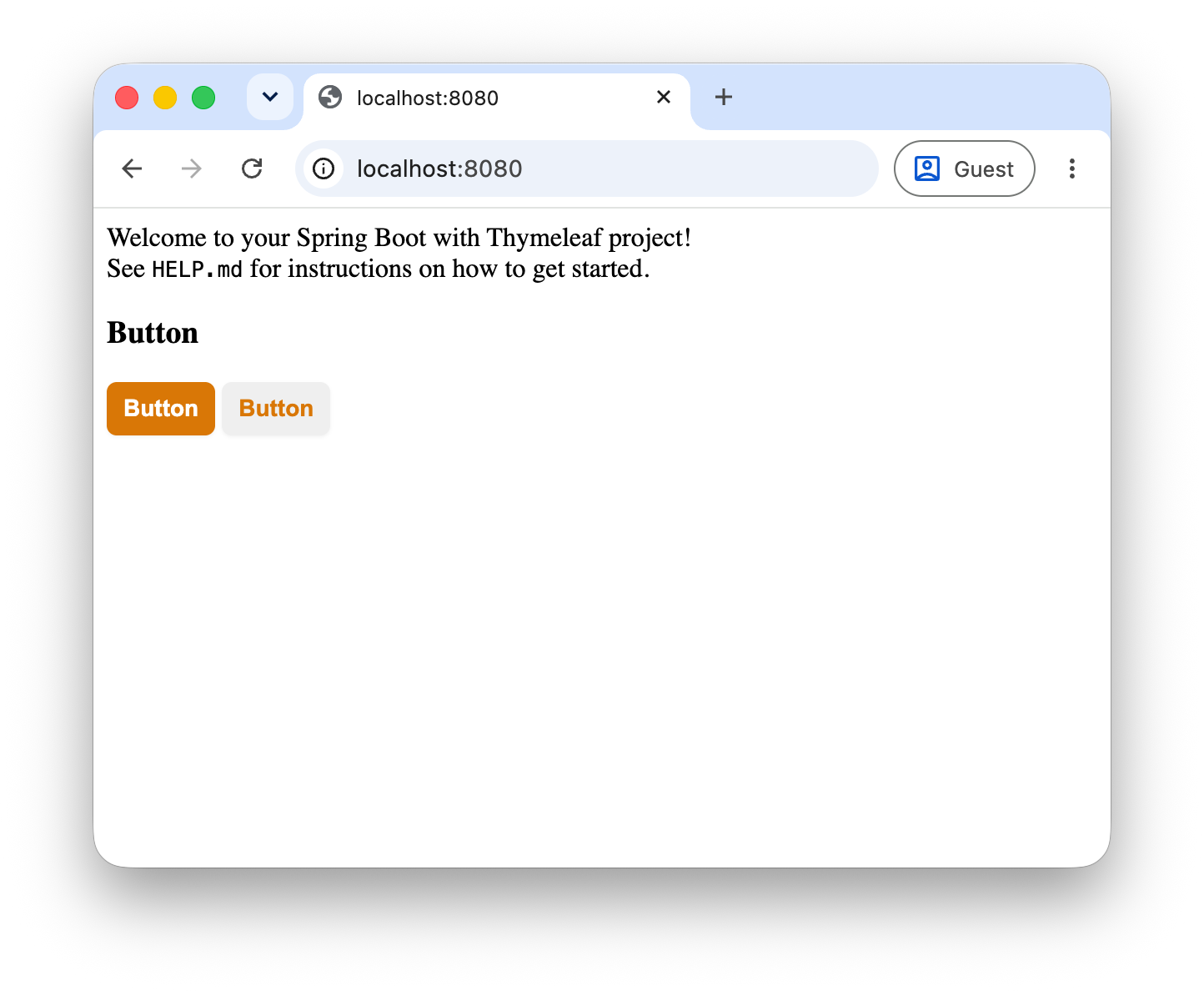
It renders both buttons side by side, one with the primary style and one with the default style:
This allows the component template itself to react to attributes, but any attribute that is not explicitly handled in the component template will be ignored.
Unfortunately, Thymeleaf does not provide a way to expand a map of attributes into the element tag.
We need to create a custom AbstractAttributeTagProcessor to do this.
Before we get to the implementation, this is the behaviour we want:
-
Any attribute not explicitly handled in the component template should be added to the element tag.
-
Any attribute explicitly handled in the component template should not be added to the element tag.
-
The
classattribute should be handled specially, as we want to append to the class attribute instead of replacing it.
Suppose we use a component like this:
<tcl:button primary hx-post="/submit" hx-target="#result" class="extra-class"></tcl:button>Then the resulting html should look like this:
<button class="tcl-button tcl-button--primary extra-class" hx-post="/submit" hx-target="#result">Button</button>Note how the primary attribute is no longer present in the final HTML.
We cannot automatically deduct which attributes are explicitly handled in the component template, so we need to provide a list of attributes that should be removed from the final HTML.
The button template would look like this in the end:
<!doctype html>
<html xmlns:th="http://www.thymeleaf.org">
<body>
  <button th:fragment="button"
          th:with="primary=${attrs != null and attrs.containsKey('primary') and attrs.get('primary') != 'false'}"
          class="tcl-button"
          th:classappend="${primary ? 'tcl-button--primary' : ''}"
          tcl:attrsExcept="primary"
          >Button</button>
</body>
</html>
So tcl:attrsExcept is the attribute that will expand the attrs map into the element tag, while skipping the primary attribute from the final HTML.
This AttrsExceptAttributeProcessor implements the required behaviour:
package com.wimdeblauwe.examples.tcl.processor;

import java.util.Arrays;
import java.util.Map;
import java.util.Set;
import java.util.stream.Collectors;
import org.thymeleaf.context.ITemplateContext;
import org.thymeleaf.engine.AttributeName;
import org.thymeleaf.model.IProcessableElementTag;
import org.thymeleaf.processor.element.AbstractAttributeTagProcessor;
import org.thymeleaf.processor.element.IElementTagStructureHandler;
import org.thymeleaf.templatemode.TemplateMode;

public class AttrsExceptAttributeProcessor extends AbstractAttributeTagProcessor {

  private static final String ATTR_NAME = "attrsExcept";
  private static final String ATTRIBUTE_CLASS = "class";
  private static final Set<String> ATTRIBUTES_TO_MERGE = Set.of(ATTRIBUTE_CLASS);

  // Runs after th:with (600), so component props are available, but before the standard default
  // attribute processor (1000) and th:text (1300) so injected th:* attributes are still evaluated.
  private static final int PRECEDENCE = 750;

  public AttrsExceptAttributeProcessor(String dialectPrefix) {
    super(TemplateMode.HTML, dialectPrefix, null, false, ATTR_NAME, true, PRECEDENCE, true);
  }

  @Override
  protected void doProcess(ITemplateContext context, IProcessableElementTag tag, AttributeName attributeName, String attributeValue,
      IElementTagStructureHandler structureHandler) {
    Set<String> excludedAttributes = Arrays.stream(attributeValue.split(", ")).collect(Collectors.toSet()); (1)

    @SuppressWarnings("unchecked")
    Map<String, String> attrs = (Map<String, String>) context.getVariable("attrs"); (2)
    if (attrs == null) {
      return;
    }

    for (Map.Entry<?, ?> entry : attrs.entrySet()) {
      String key = String.valueOf(entry.getKey());
      if (excludedAttributes.contains(key)) {
        continue; (3)
      }
      String value = entry.getValue() == null ? "" : String.valueOf(entry.getValue());
      if (ATTRIBUTES_TO_MERGE.contains(key)) { (4)
        String existing = tag.getAttributeValue(key);
        structureHandler.setAttribute(
            key, existing == null || existing.isBlank() ? value : existing + " " + value);
      } else {
        structureHandler.setAttribute(key, value); (5)
      }
    }
  }
}| 1 | Extract the list of attributes to exclude from the tcl:attrsExcept attribute value. |
| 2 | Get the attrs map from the context, which was set in the ComponentElementProcessor. |
| 3 | Skip any attributes that are in the excluded list. |
| 4 | Merge the class attribute instead of replacing it, so that any classes in the attrs map (coming from where the component is used) are appended to the existing classes (defined on the component template in the library). |
| 5 | Add the attribute to the element tag. |
Conclusion
This part showed how to create an actual component using a custom Thymeleaf dialect, with support for custom attributes and a passthrough of any additional attributes.
One important feature is still missing: the ability to add arbitrary content inside a component. In part 3 we will add support for slots to make this possible.
If you have any questions or remarks, feel free to post a comment at GitHub discussions.