# Writing a Thymeleaf component library - part 2
Author: [Wim Deblauwe](https://www.wimdeblauwe.com/about/) | Published: 2026-08-03 | Topics: thymeleaf, spring-boot | Canonical: https://www.wimdeblauwe.com/blog/2026/08/03/writing-a-thymeleaf-component-library---part-2/
In [part 1](https://www.wimdeblauwe.com/blog/2026/07/27/writing-a-thymeleaf-component-library/) we created a Thymeleaf component library that can be used in a Spring Boot application. There is a sample application that uses the library, and there is full live reload support for changing the CSS and JS files in the library. We will create an actual component in the library and use it in the sample application.
## Vision for the component usage
In the most straighforward case, we would have to use a component in a Spring Boot application like this:
```html
```
This works out of the box, but there are some drawbacks to this approach:
- The component is not very discoverable, as the user has to know the exact path to the component template.
- It is impossible to allow users to add arbitrary attributes to the component, as the `th:replace` attribute will replace the entire `
` element with the component template. This is needed for example to add `hx-*` attributes to a button when using the [htmx](https://htmx.org/) library.
- There is no support for arbitrary content inside the component (Usually called "slots" in other component libraries), as the `th:replace` attribute will replace the entire `
` element with the component template.
Ideally, we want to be able to use the component in a Spring Boot application like this:
```html
SubmitCancel
```
## Custom dialect
To achieve this, we will create a custom Thymeleaf dialect that will allow us to use the `tcl:button` tag in our Spring Boot application.
```java
package com.wimdeblauwe.examples.tcl;
import com.wimdeblauwe.examples.tcl.processor.ComponentElementProcessor;
import java.util.Set;
import org.thymeleaf.dialect.AbstractProcessorDialect;
import org.thymeleaf.processor.IProcessor;
import org.thymeleaf.standard.StandardDialect;
public class TclDialect extends AbstractProcessorDialect {
public static final String PREFIX = "tcl"; (1)
private static final String NAME = "Thymeleaf Component Library";
public TclDialect() {
super(NAME, PREFIX, StandardDialect.PROCESSOR_PRECEDENCE);
}
@Override
public Set getProcessors(String dialectPrefix) {
return Set.of(new ComponentElementProcessor(dialectPrefix)); (2)
}
}
```
1. Choose a unique prefix for your dialect, as this will be used in the tag names of your components.
2. The `ComponentElementProcessor` is a custom processor that we will create in the next section.
The dialect uses the `ComponentElementProcessor` to process the `tcl:button` tag and replace it with the actual component template:
```java
package com.wimdeblauwe.examples.tcl.processor;
import org.thymeleaf.context.ITemplateContext;
import org.thymeleaf.model.IModel;
import org.thymeleaf.model.IModelFactory;
import org.thymeleaf.model.IOpenElementTag;
import org.thymeleaf.model.IProcessableElementTag;
import org.thymeleaf.model.ITemplateEvent;
import org.thymeleaf.processor.element.IElementModelProcessor;
import org.thymeleaf.processor.element.IElementModelStructureHandler;
import org.thymeleaf.processor.element.MatchingAttributeName;
import org.thymeleaf.processor.element.MatchingElementName;
import org.thymeleaf.standard.StandardDialect;
import org.thymeleaf.templatemode.TemplateMode;
public class ComponentElementProcessor implements IElementModelProcessor {
private final String dialectPrefix;
private final MatchingElementName matchingElementName;
public ComponentElementProcessor(String dialectPrefix) {
this.dialectPrefix = dialectPrefix;
this.matchingElementName = MatchingElementName.forAllElementsWithPrefix(TemplateMode.HTML, dialectPrefix);
}
@Override
public void process(ITemplateContext context, IModel model, IElementModelStructureHandler structureHandler) {
IModelFactory modelFactory = context.getModelFactory();
ITemplateEvent first = model.get(0);
if (!(first instanceof IProcessableElementTag openTag)) {
return;
}
String name = componentName(openTag);
// Replace the element with a fragment call to the component template, e.g. ->
// ~{tcl/components/button :: button}.
final String fragmentExpression = "~{tcl/components/" + name + " :: " + name + "}";
IOpenElementTag block = modelFactory.createOpenElementTag("th:block");
block = modelFactory.setAttribute(block, "th:replace", fragmentExpression);
model.reset();
model.add(block);
model.add(modelFactory.createCloseElementTag("th:block"));
}
@Override
public MatchingElementName getMatchingElementName() {
return matchingElementName;
}
@Override
public MatchingAttributeName getMatchingAttributeName() {
return null;
}
@Override
public TemplateMode getTemplateMode() {
return TemplateMode.HTML;
}
@Override
public int getPrecedence() {
return StandardDialect.PROCESSOR_PRECEDENCE;
}
/** Derives the component name from the tag, e.g. {@code tcl:button -> button}. */
private String componentName(IProcessableElementTag openTag) {
String complete = openTag.getElementCompleteName();
String prefix = dialectPrefix + ":";
return complete.startsWith(prefix) ? complete.substring(prefix.length()) : complete;
}
}
```
The processor will replace the `` tag with a fragment call to the component template, e.g. `~{tcl/components/button :: button}`.
Add the dialect to the auto configuration class of the component library:
```java
@AutoConfiguration
@EnableConfigurationProperties(TclProperties.class)
public class TclAutoConfiguration {
...
@Bean
@ConditionalOnMissingBean
public TclDialect tclDialect() {
return new TclDialect();
}
}
```
## Button component
We can test this by creating a very simple button component in the component library.
Add `src/main/resources/templates/tcl/components/button.html` to the component library:
```html
```
Also create a CSS file for the button component in `src/main/resources/static/css/button.css`:
```css
.tcl-button {
border-radius: 0.375rem;
background-color: #d97706;
padding: 0.375rem 0.625rem;
font-size: 0.875rem;
line-height: 1.25rem;
font-weight: 600;
color: #ffffff;
box-shadow: 0 1px 2px 0 rgb(0 0 0 / 0.05);
border: none;
cursor: pointer;
transition: background-color 0.15s ease-in-out;
}
.tcl-button:hover {
background-color: #f59e0b;
}
.tcl-button:focus-visible {
outline: 2px solid #d97706;
outline-offset: 2px;
}
```
Update the sample application to use the button component:
**src/main/resources/templates/index.html**
```html
...
...
Button
```
If you restart the application from IntelliJ IDEA, the browser will show the button component on the index page:
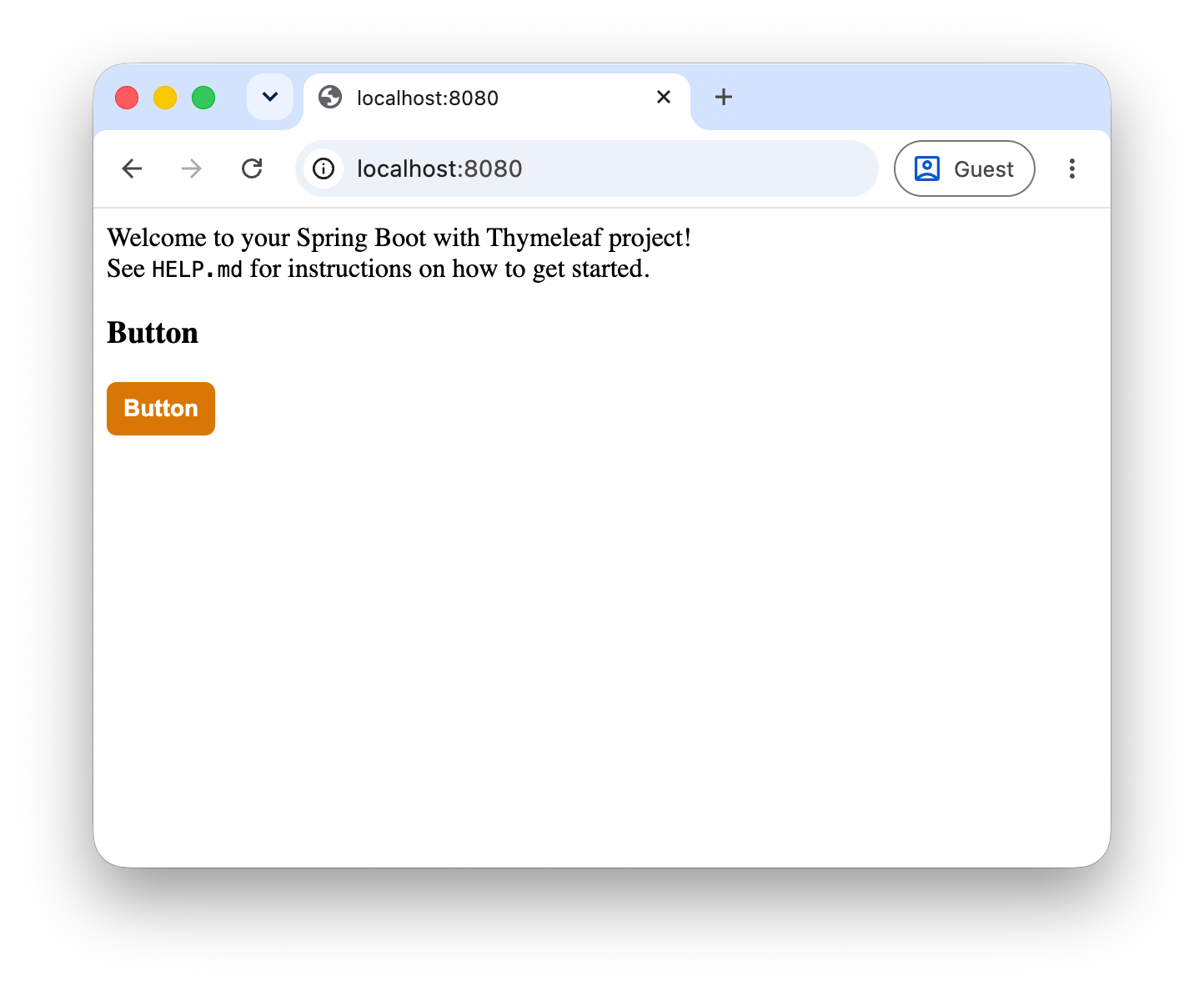
You should be able to play with the CSS file in the component library and see the changes reflected in the browser without restarting the application. However, changing the HTML template of the button component does not work.
To fix that, we will allow to configure an `FileTemplateResolver` which will resolve the component templates from the file system instead of the classpath.
Update `TclAutoConfiguration` to add a `FileTemplateResolver` bean:
**com.wimdeblauwe.examples.tcl.TclAutoConfiguration**
```java
@Bean
@ConditionalOnProperty("tcl.dev.templates-path")
public FileTemplateResolver tclDevTemplateResolver(TclProperties properties) {
FileTemplateResolver resolver = new FileTemplateResolver();
resolver.setPrefix(properties.dev().templatesPath());
resolver.setSuffix(".html");
resolver.setTemplateMode(TemplateMode.HTML);
resolver.setCharacterEncoding("UTF-8");
resolver.setCacheable(false);
resolver.setCheckExistence(true);
resolver.setOrder(Ordered.HIGHEST_PRECEDENCE);
return resolver;
}
```
This uses a new property `tcl.dev.templates-path` to configure the path:
```java
@ConfigurationProperties(prefix = "tcl")
public record TclProperties(@DefaultValue DevProperties dev) {
record DevProperties(String viteServerUrl, String templatesPath) {
}
}
```
Update `application-local.properties` to set the property:
```properties
spring.thymeleaf.cache=false
spring.web.resources.chain.cache=false
tcl.dev.vite-server-url=http://localhost:5174
tcl.dev.templates-path=../../src/main/resources/templates/
vite.mode=dev
```
This works, but it requires to refresh the browser manually after changing the component template. By adding a small script to `vite.config.js` of the sample application, we can automatically refresh the browser when a component template is changed:
**samples/tcl-sample-01/vite.config.js**
```js
import {defineConfig} from 'vite';
import path from 'path';
import springBoot from '@wim.deblauwe/vite-plugin-spring-boot';
const libraryTemplatesDir = path.resolve(__dirname, '../../src/main/resources/templates'); (1)
export default defineConfig({
plugins: [
springBoot({
fullCopyFilePaths: {
exclude: [path.join(libraryTemplatesDir, '**')] (2)
}
}),
watchLibraryTemplates() (3)
],
root: path.join(__dirname, './src/main/resources'),
build: {
manifest: true,
rollupOptions: {
input: [
'/static/css/application.css'
]
},
outDir: path.join(__dirname, `./target/classes/static`),
copyPublicDir: false,
emptyOutDir: true
},
server: {
proxy: {
// Proxy all backend requests to Spring Boot except for static assets
'^/(?!static|assets|@|.*\\.(js|css|png|svg|jpg|jpeg|gif|ico|woff|woff2)$)': {
target: 'http://localhost:8080', // Proxy to Spring Boot backend
changeOrigin: true,
secure: false
}
},
watch: {
ignored: ['target/**']
}
}
});
function watchLibraryTemplates() {
return {
name: 'watch-tcl-library-templates',
configureServer(server) {
server.watcher.add(libraryTemplatesDir);
const reload = (file) => {
if (file.startsWith(libraryTemplatesDir)) {
server.ws.send({type: 'full-reload'}); (4)
}
};
server.watcher.on('change', reload);
server.watcher.on('add', reload);
server.watcher.on('unlink', reload);
}
};
}
```
1. Point to the location of the component library templates so that Vite can watch them for changes.
2. Don’t let the Spring Boot plugin copy the watched library templates. We read them directly using the `FileTemplateResolver` in the component library.
3. Register a custom Vite plugin which is the local `watchLibraryTemplates` function.
4. Trigger a full reload of the browser when a component template is changed.
Now you can change the button component template in the component library and see the changes reflected in the browser without restarting the application or manually refreshing the browser.
## Element attributes
We can also add support for arbitrary attributes on the component element. To do so, we need gather all attributes when we process the element and pass them to the component template.
Update the `ComponentElementProcessor` to gather all attributes:
```java
public class ComponentElementProcessor implements IElementModelProcessor {
...
@Override
public void process(ITemplateContext context, IModel model, IElementModelStructureHandler structureHandler) {
...
String name = componentName(openTag);
Map attrs = getAttributesAsMap(openTag); (1)
structureHandler.setLocalVariable("attrs", attrs); (2)
...
}
private static Map getAttributesAsMap(IProcessableElementTag openTag) {
Map attrs = new LinkedHashMap<>();
for (var attribute : openTag.getAllAttributes()) {
attrs.put(attribute.getAttributeCompleteName(), attribute.getValue());
}
return attrs;
}
}
```
1. Parse all attributes of the component element and store them in a map.
2. Store the map in a local variable called `attrs` so that it can be used in the component template.
Every component now has access to the `attrs` variable, which contains all attributes of the component element. We can update the button component to make use of this:
```html
```
Using `th:with`, we can check if the `primary` attribute is present and not set to `false`. We can then use `th:classappend` to add the `tcl-button—primary` class to the button if the `primary` attribute is present.
Update the `button.css` file to add styles for the primary button:
**src/main/resources/static/css/button.css**
```css
.tcl-button {
border-radius: 0.375rem;
padding: 0.375rem 0.625rem;
font-size: 0.875rem;
line-height: 1.25rem;
font-weight: 600;
color: #d97706;
box-shadow: 0 1px 2px 0 rgb(0 0 0 / 0.05);
border: none;
cursor: pointer;
transition: background-color 0.15s ease-in-out;
&:hover {
background-color: #fffbeb;
}
}
.tcl-button--primary {
background-color: #d97706;
color: #ffffff;
&:hover {
background-color: #f59e0b;
}
}
.tcl-button:focus-visible {
outline: 2px solid #d97706;
outline-offset: 2px;
}
```
Update the `index.html` file in the sample application to use the `primary` attribute:
```html
...
```
The HTML source in the browser should now look like this:
```html
```
It renders both buttons side by side, one with the primary style and one with the default style:
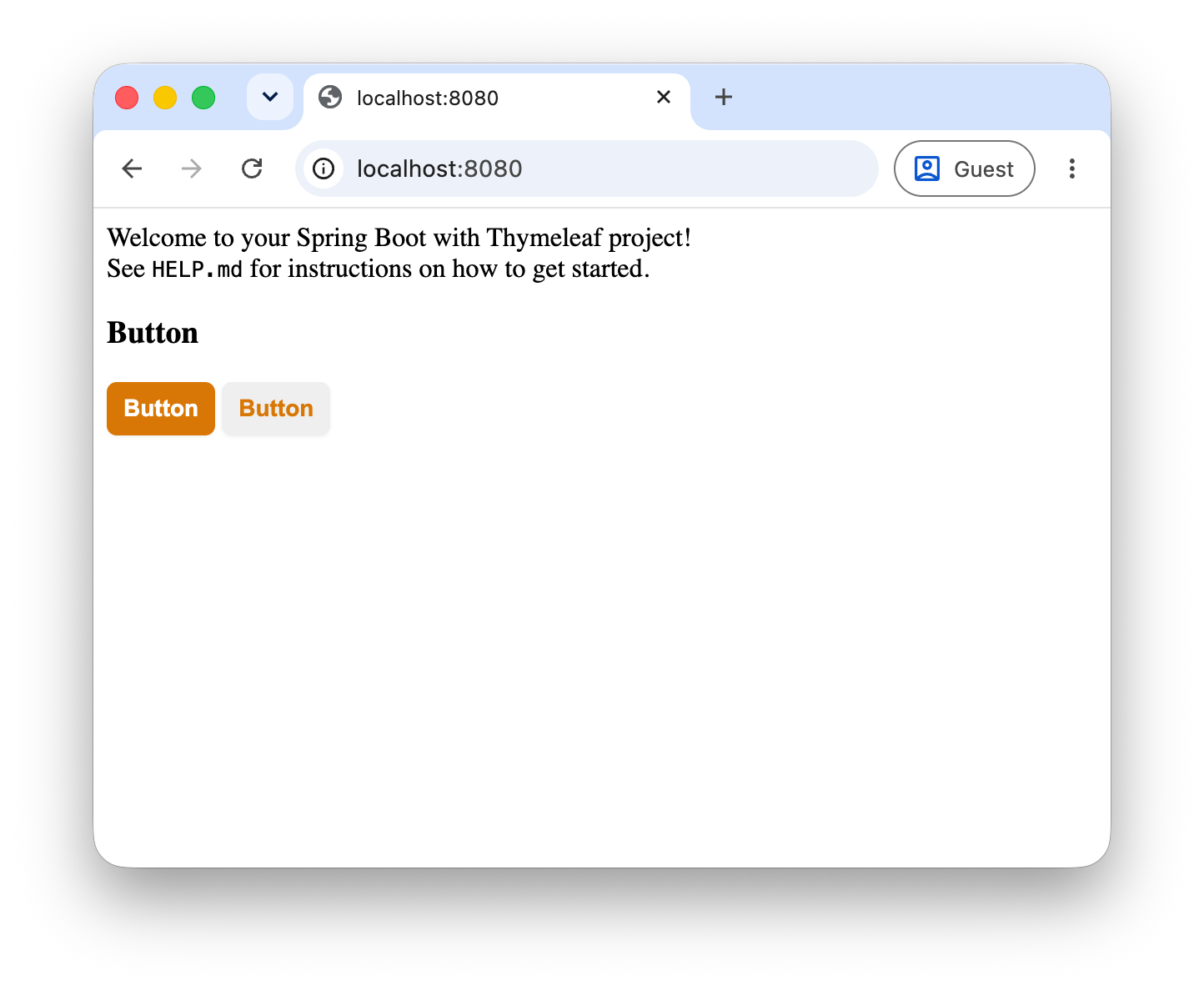
This allows the component template itself to react to attributes, but any attribute that is not explicitly handled in the component template will be ignored.
Unfortunately, Thymeleaf [does not provide a way to expand a map of attributes](https://github.com/thymeleaf/thymeleaf/issues/687) into the element tag. We need to create a custom `AbstractAttributeTagProcessor` to do this.
Before we get to the implementation, this is the behaviour we want:
- Any attribute _not explicitly handled_ in the component template should be _added_ to the element tag.
- Any attribute _explicitly handled_ in the component template should _not be added_ to the element tag.
- The `class` attribute should be handled specially, as we want to append to the class attribute instead of replacing it.
Suppose we use a component like this:
```html
```
Then the resulting html should look like this:
```html
```
Note how the `primary` attribute is no longer present in the final HTML.
We cannot automatically deduct which attributes are explicitly handled in the component template, so we need to provide a list of attributes that should be removed from the final HTML.
The button template would look like this in the end:
```html
```
So `tcl:attrsExcept` is the attribute that will expand the `attrs` map into the element tag, while skipping the `primary` attribute from the final HTML.
This `AttrsExceptAttributeProcessor` implements the required behaviour:
```java
package com.wimdeblauwe.examples.tcl.processor;
import java.util.Arrays;
import java.util.Map;
import java.util.Set;
import java.util.stream.Collectors;
import org.thymeleaf.context.ITemplateContext;
import org.thymeleaf.engine.AttributeName;
import org.thymeleaf.model.IProcessableElementTag;
import org.thymeleaf.processor.element.AbstractAttributeTagProcessor;
import org.thymeleaf.processor.element.IElementTagStructureHandler;
import org.thymeleaf.templatemode.TemplateMode;
public class AttrsExceptAttributeProcessor extends AbstractAttributeTagProcessor {
private static final String ATTR_NAME = "attrsExcept";
private static final String ATTRIBUTE_CLASS = "class";
private static final Set ATTRIBUTES_TO_MERGE = Set.of(ATTRIBUTE_CLASS);
// Runs after th:with (600), so component props are available, but before the standard default
// attribute processor (1000) and th:text (1300) so injected th:* attributes are still evaluated.
private static final int PRECEDENCE = 750;
public AttrsExceptAttributeProcessor(String dialectPrefix) {
super(TemplateMode.HTML, dialectPrefix, null, false, ATTR_NAME, true, PRECEDENCE, true);
}
@Override
protected void doProcess(ITemplateContext context, IProcessableElementTag tag, AttributeName attributeName, String attributeValue,
IElementTagStructureHandler structureHandler) {
Set excludedAttributes = Arrays.stream(attributeValue.split(", ")).collect(Collectors.toSet()); (1)
@SuppressWarnings("unchecked")
Map attrs = (Map) context.getVariable("attrs"); (2)
if (attrs == null) {
return;
}
for (Map.Entry entry : attrs.entrySet()) {
String key = String.valueOf(entry.getKey());
if (excludedAttributes.contains(key)) {
continue; (3)
}
String value = entry.getValue() == null ? "" : String.valueOf(entry.getValue());
if (ATTRIBUTES_TO_MERGE.contains(key)) { (4)
String existing = tag.getAttributeValue(key);
structureHandler.setAttribute(
key, existing == null || existing.isBlank() ? value : existing + " " + value);
} else {
structureHandler.setAttribute(key, value); (5)
}
}
}
}
```
1. Extract the list of attributes to exclude from the `tcl:attrsExcept` attribute value.
2. Get the `attrs` map from the context, which was set in the `ComponentElementProcessor`.
3. Skip any attributes that are in the excluded list.
4. Merge the `class` attribute instead of replacing it, so that any classes in the `attrs` map (coming from where the component is used) are appended to the existing classes (defined on the component template in the library).
5. Add the attribute to the element tag.
## Conclusion
This part showed how to create an actual component using a custom Thymeleaf dialect, with support for custom attributes and a passthrough of any additional attributes.
One important feature is still missing: the ability to add arbitrary content _inside_ a component. In [part 3](https://www.wimdeblauwe.com/blog/2026/08/10/writing-a-thymeleaf-component-library---part-3/) we will add support for slots to make this possible.
If you have any questions or remarks, feel free to post a comment at [GitHub discussions](https://github.com/wimdeblauwe/wimdeblauwe.com/discussions).