🎉 Shadleaf 1.0 is out! Shadleaf is an open-source library of accessible, themeable UI components for Thymeleaf, packaged as a Spring Boot starter.
Check out the launch video:
Why a component library for Thymeleaf?
I like Thymeleaf a lot. Server-side rendering with a sprinkle of htmx and Alpine.js gets you very far, without the complexity of a single-page application.
What I always missed was a component library. If you build with Angular or React, you pick one of the many component libraries and you have buttons, dialogs, date pickers, tables, … ready to go. With Thymeleaf, you end up writing all of that yourself, over and over again in every project.
That is why I built Shadleaf. It is inspired by shadcn/ui, and you use the components as custom tags in your templates:
<sl:button variant="destructive" hx-delete="/orders/42">
  <sl:slot name="icon-start"><sl:icon name="trash"/></sl:slot>
  Delete order
</sl:button>
How it started
Shadleaf started as an internal library that I wrote for a big European automotive company. It worked well there, and I wanted every Thymeleaf developer to be able to use something like it. So I started over with an open-source version.
If you want to know more about the ideas behind it, I wrote a blog series on how to build such a library:
Shadleaf takes those ideas a lot further.
What is in 1.0?
-
About 50 components. Buttons, inputs and checkboxes, but also dialogs, sheets, comboboxes, date pickers, tables, charts, toasts and a full application shell with a sidebar. There are also ready-made page layouts that you can copy.
-
Themed with shadcn’s CSS variables. Redefine
--primary,--radius,--ring, … and every component follows, in light and dark mode. A theme from a shadcn theme builder like tweakcn drops in unchanged. Nine skins change the look without touching your templates. -
Checked props. Each component declares its props, so a typo like
variant="destructve"or an icon-only button without an accessible name fails with a clear message instead of reaching the browser. -
Fits your build. The jar ships compiled CSS and JavaScript, so a plain Maven build is enough. If you already compile Tailwind CSS yourself, there is an embedded bundle that fits into your own build.
-
htmx and Alpine.js. Both work with the components, also under a strict Content-Security-Policy and with Spring Security.
-
Adjustable step by step. You can set a prop, or go as far as overriding the template of a component in your own application.
-
IDE completion. IntelliJ IDEA completes the components and their attributes through web-types.
Documentation
The documentation at https://shadleaf.dev/ has a page for each component, as you would expect. But it also has guides on htmx, Alpine.js, CSP, Spring Security, OAuth2, Tailwind CSS and translating, and a section with complete page layouts.
What I really like about it is that the examples are not screenshots or hand-written mock-ups. The build of the library renders each example through Thymeleaf, and the resulting HTML is included in the documentation. So what you see is exactly what the library renders, and you can actually click around and see how the components work:
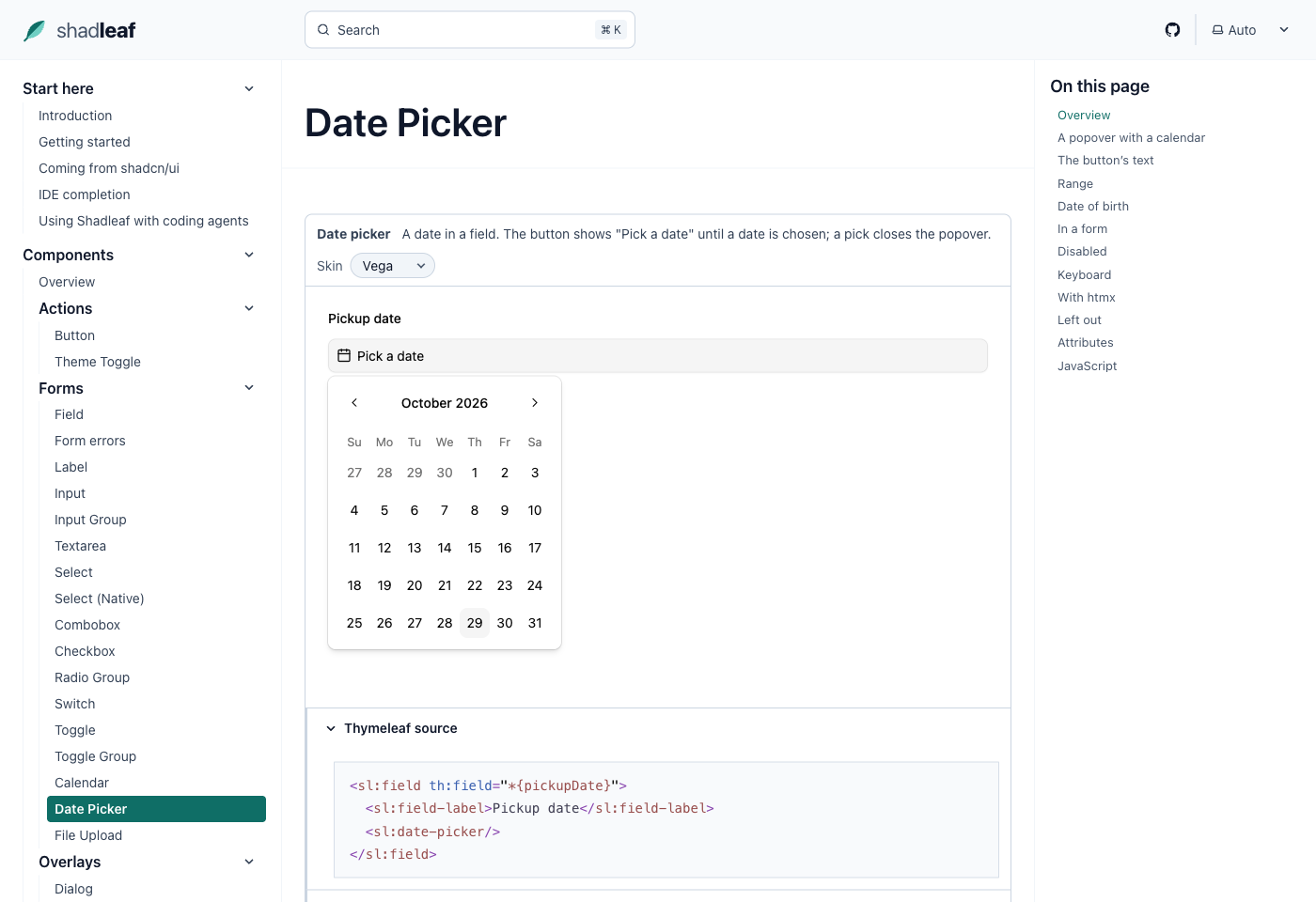
Below each example, you can expand the Thymeleaf source and the rendered HTML. Because everything is generated from the library itself, the documentation cannot drift from what the library actually does.
Samples
The samples directory in the repository has three complete Spring Boot applications that use Shadleaf:
-
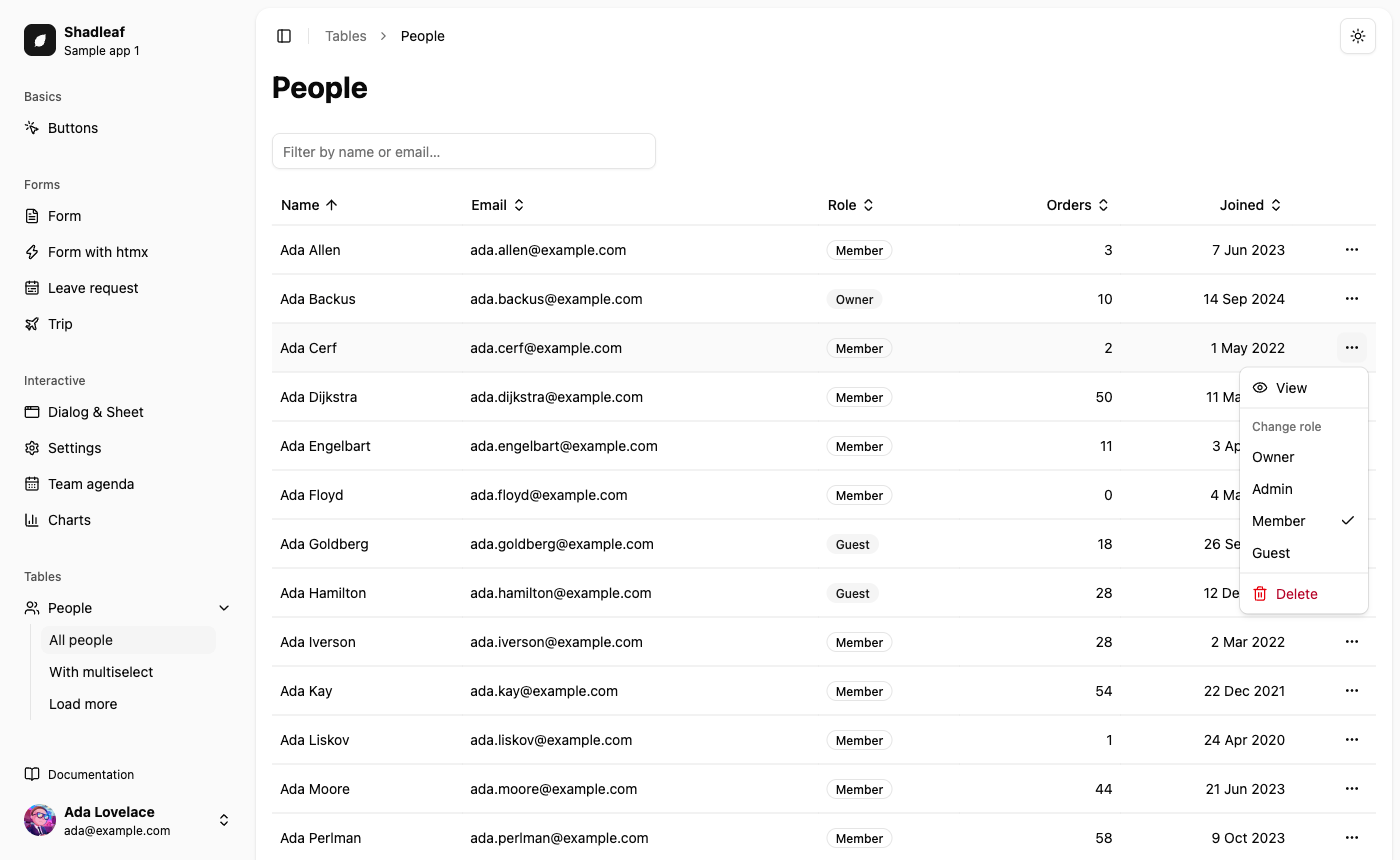
shadleaf-sample-01uses most of the components in the sidebar layout, with htmx on every page. It has forms with server-side validation, dialogs, toasts and a table backed by Spring Data JPA with sorting, pagination, live search and row selection. -
shadleaf-sample-02runs behind Spring Security with a strict Content-Security-Policy, and has no Node.js in its build. It uses the header layout and form login, with navigation based on the user’s role. -
shadleaf-sample-03signs in with OAuth2, through Keycloak or GitHub.
If you want to see how the components work together in a real application, start there.
This is the people table of the first sample:
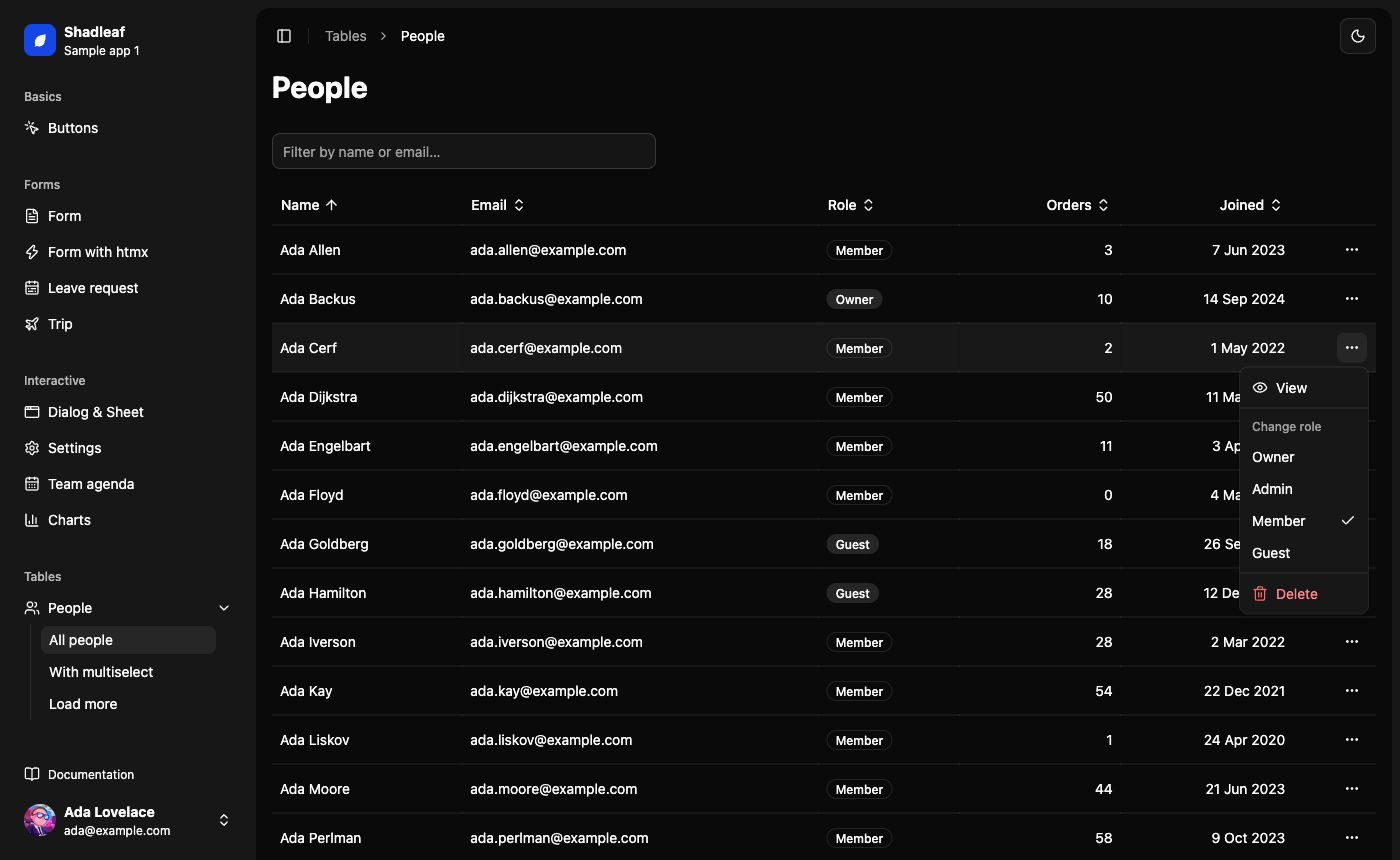
Shadleaf also supports dark mode:
Using Shadleaf with coding agents
Coding agents like Claude Code, Codex, Cursor or Copilot are great to build with, but Shadleaf is new, so the models have not learned it yet.
And because it looks a lot like a React component library, an agent tends to reach for what it knows from React: a <Button asChild>, a few Tailwind classes, or a <sl:dialog-trigger> that does not exist.
The documentation has a page Using Shadleaf with coding agents that fixes most of this in two small steps:
-
Rules for your project. You paste a short block of rules into the
AGENTS.mdorCLAUDE.mdof your project. It lists the things agents tend to get wrong, like how a dialog opens or how to bind a form field. -
Docs as Markdown. Every page of the documentation has a Markdown copy, and there is an llms.txt index, so an agent can read the examples and attribute tables without parsing HTML.
The checked props help here as well. A wrong prop value or an icon-only button without an accessible name fails during rendering with a clear message, so the agent sees its mistake as soon as it renders the page.
Getting started
Add the dependency to the pom.xml of your Spring Boot application with Thymeleaf:
<dependency>
  <groupId>io.github.wimdeblauwe</groupId>
  <artifactId>shadleaf-spring-boot-starter</artifactId>
  <version>1.0.2</version>
</dependency>
Shadleaf needs Java 17 and Spring Boot 4.1.
Next, follow the Getting started guide to include the stylesheet and start using the components.
Conclusion
I hope Shadleaf makes building Thymeleaf applications a lot more fun. Try it out and let me know what you think. If you run into a problem or miss a component, open an issue on GitHub. And if you like the project, a star on GitHub is much appreciated.
If you have any questions or remarks, feel free to post a comment at GitHub discussions.