Yesterday, I shared how to combine Thymeleaf, Shoelace and htmx to show toast notifications in your web application. This worked pretty well and only needed a little JavaScript, but we can even further reduce the JavaScript used further and make them even more useful as the same time!
The "problem" with the previous solution
The notification works just fine in the previous solution, but there are a few drawbacks:
-
We need some custom JavaScript to generate the notification HTML itself. It would be nice if we could avoid this and use a Thymeleaf template to generate the HTML.
-
The text to show was hardcoded in the JavaScript part. It would be better if we could determine the exact text on the server. That way, we can have translated texts and texts with dynamic values in it.
-
We need some JavaScript to link the htmx event with showing the toast notification. We will see how we can use Alpine to simplify this.
Controller
The controller is a bit more complicated now, but only because it packs a lot more functionality as well.
import io.github.wimdeblauwe.hsbt.mvc.HxRequest;
import org.springframework.context.MessageSource;
import org.springframework.stereotype.Controller;
import org.springframework.ui.Model;
import org.springframework.web.bind.annotation.GetMapping;
import org.springframework.web.bind.annotation.PostMapping;
import org.springframework.web.bind.annotation.RequestMapping;

import java.util.Locale;
import java.util.random.RandomGenerator;
import java.util.random.RandomGeneratorFactory;

@Controller
@RequestMapping("/")
public class HomeController {

    private static final RandomGenerator RANDOM_GENERATOR = RandomGeneratorFactory.getDefault().create();

    private final MessageSource messageSource;

    public HomeController(MessageSource messageSource) {
        this.messageSource = messageSource;
    }

    @GetMapping
    public String index() {
        return "index";
    }

    @PostMapping("/purchase")
    @HxRequest (1)
    public String purchase(Model model, (2)
                           Locale locale) { (3)

        model.addAttribute("itemName", messageSource.getMessage("item.black.tee", null, locale)); (4)

        int randomInt = RANDOM_GENERATOR.nextInt(3);
        return switch (randomInt) {
            case 0 -> {
                // simulate a succesful purchase
                yield "fragments/toasts :: itemAdded"; (5)
            }
            case 1 -> {
                // simulate a succesful purchase where we see that the user is
                // close to enough purchases to avoid the shipping fee
                model.addAttribute("amountToSpend", "$" + RANDOM_GENERATOR.nextInt(10, 20)); (6)
                yield "fragments/toasts :: itemAddedNearShipping";
            }
            default -> {
                // simulate an error happened. In a real application this would probably in a catch block.
                yield "fragments/toasts :: error"; (7)
            }
        };
    }
}| 1 | Use HxRequest to indicate we want this method to only react to a POST request coming from htmx. |
| 2 | Inject the Model instance so we can set some Thymeleaf variables for use in our fragments. |
| 3 | Inject the Locale of the user so we can translate something. |
| 4 | When the random generator generates a 0, we return the itemAdded fragment so Thymeleaf can use that to send back some HTML to the browser to be swapped by htmx. |
| 5 | Generate a random number that is a simulation of how much many the current user needs to spend extra to avoid the shipping costs on its order. |
| 6 | Use the error fragment as the response when there was something wrong. |
For the translations to work, we update application.properties with:
spring.messages.basename=i18n/messagesAnd create 2 files:
-
src/main/resources/i18n/messages.properties -
src/main/resources/i18n/messages_nl.properties
The English version contains some translations like this:
application.title=Shoelace - Thymeleaf - Alpine Demo
item.added.title=Item Added
item.added.message=Your item {0} has been added to your cart.
item.added-near-shipping.message=Your item {0} has been added to your cart. Spend another {1} to avoid shipping costs!
item.black.tee=Black Tee
application.error=There was a problem communicating with the server.
Fragments
The notification HTML itself is now created as Thymeleaf fragments:
<!DOCTYPE html>
<html lang="en"
      xmlns:th="http://www.thymeleaf.org">
<body>
<sl-alert th:fragment="itemAdded" variant="success" duration="3000" closable>
    <sl-icon slot="icon" name="check2-circle"></sl-icon>
    <strong th:text="#{item.added.title}">Success title</strong><br/>
    [[#{item.added.message(${itemName})}]]
</sl-alert>

<sl-alert th:fragment="itemAddedNearShipping" variant="success" duration="3000" closable>
    <sl-icon slot="icon" name="check2-circle"></sl-icon>
    <strong th:text="#{item.added.title}">Success title</strong><br/>
    [[#{item.added-near-shipping.message(${itemName}, ${amountToSpend})}]]
</sl-alert>

<sl-alert th:fragment="error" id="htmx-error-toast" variant="danger" duration="3000" closable>
    <sl-icon slot="icon" name="exclamation-octagon"></sl-icon>
    <strong>Error</strong><br/>
    There was a problem communicating with the server.
</sl-alert>
</body>
</html>
We can see the 3 fragments itemAdded, itemAddedNearShipping and error.
We use the #{…} construct to read from the translation files.
The [[#{item.added.message(${itemName})}]] construct might need some explanation:
-
[[..]]: allows to inline some Thymeleaf code -
item.added.messageis the translation key. The value of that has a variable (Using{0}notation). -
We pass in the value of
${itemName}(which is set in theModelin our controller) to the translation.
Read more about all the string concatenation options at String concatenation with Thymeleaf.
Putting it all together
In the index.html, we will add htmx attributes to the <form> that powers the button:
<form method="post"
      hx:post="@{/purchase}"
      hx-swap="beforeend" (1)
      hx-target="#toast-stack">(2)
    ...
    <button type="submit"
            class="...">
        Add to cart
    </button>
</form>| 1 | Swap the HTML that gets returned from the /purchase endpoint just before the end of whatever hx-target points at. |
| 2 | Point at toast-stack to append the notification HTML that returns. |
Somewhere on the page, put the toast-stack.
It does not matter really where as this will not be visible anyway. I have put it at end of the main fragment:
<div layout:fragment="content" x-data> (1)
    ...
    <div id="toast-stack"
         x-on:htmx:after-swap.camel="$event.detail.elt.lastChild.toast()">

    </div>
</div>| 1 | Ensure Alpine is enabled for the whole div. |
The real magic now comes from that single line of Alpine code x-on:htmx:after-swap.camel="$event.detail.elt.lastChild.toast()":
-
x-onallows to listen to an event that is sent in the browser -
htmx sends the
htmx:afterSwapevent whenever it has swapped something. -
.camelallows Alpine to listen for an event that is in camelcase by using kebab-case. -
$eventis an Alpine magic variable to get a reference to the event. -
$event.detail.eltgives us access to the HTML element that sent out the event. In our case, this is thetoast-stackitself. -
Since we use
beforeendin thehx-swap, the HTML that comes back from the server will the the last child element of the toast stack.lastChildgives us easy access to that element. -
toast()is the function from Shoelace to display the notification as a toast message.
Demo
If we now start everything, we get our random notifications:
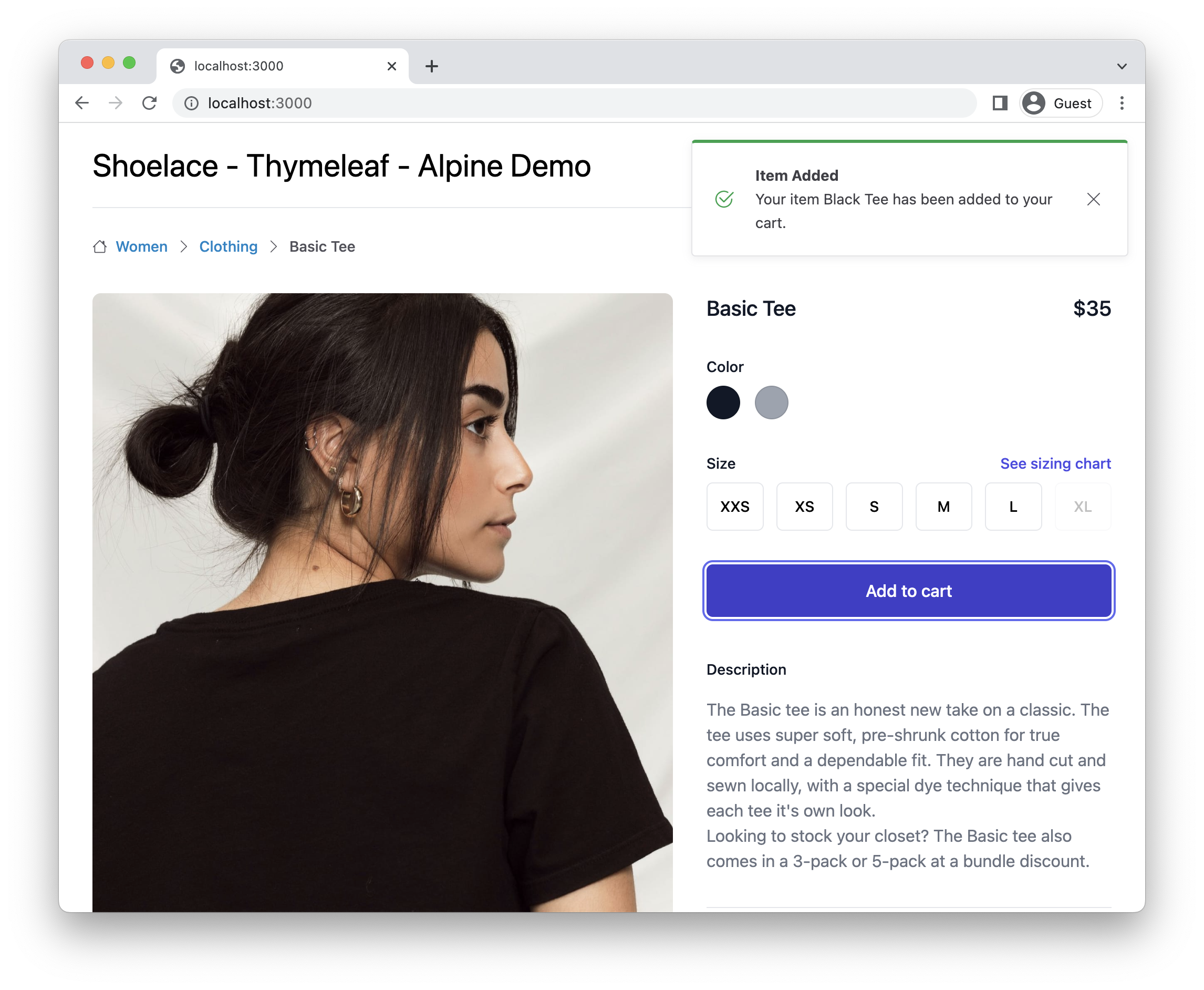
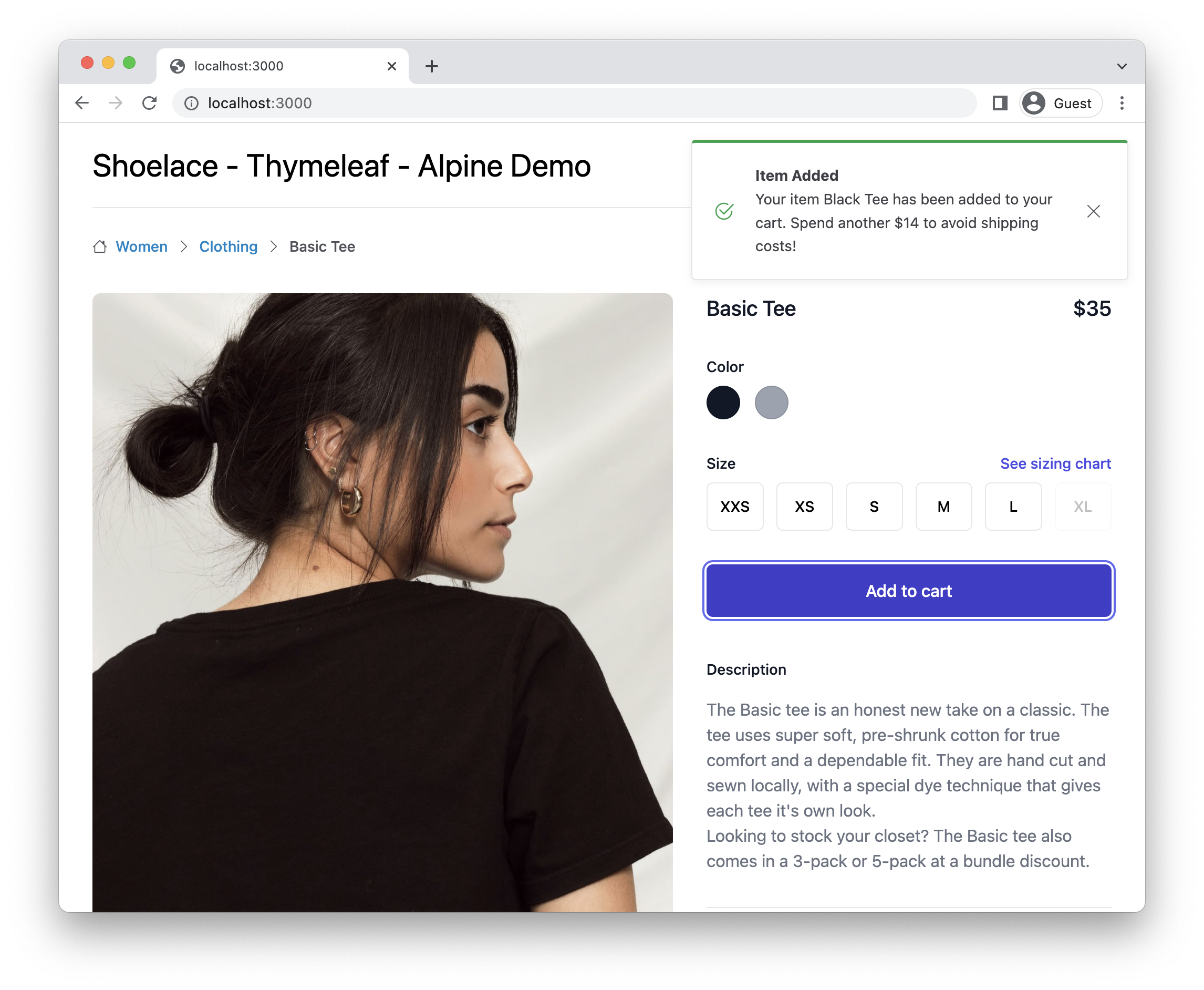
We get the notification with the random amount in the message itself:
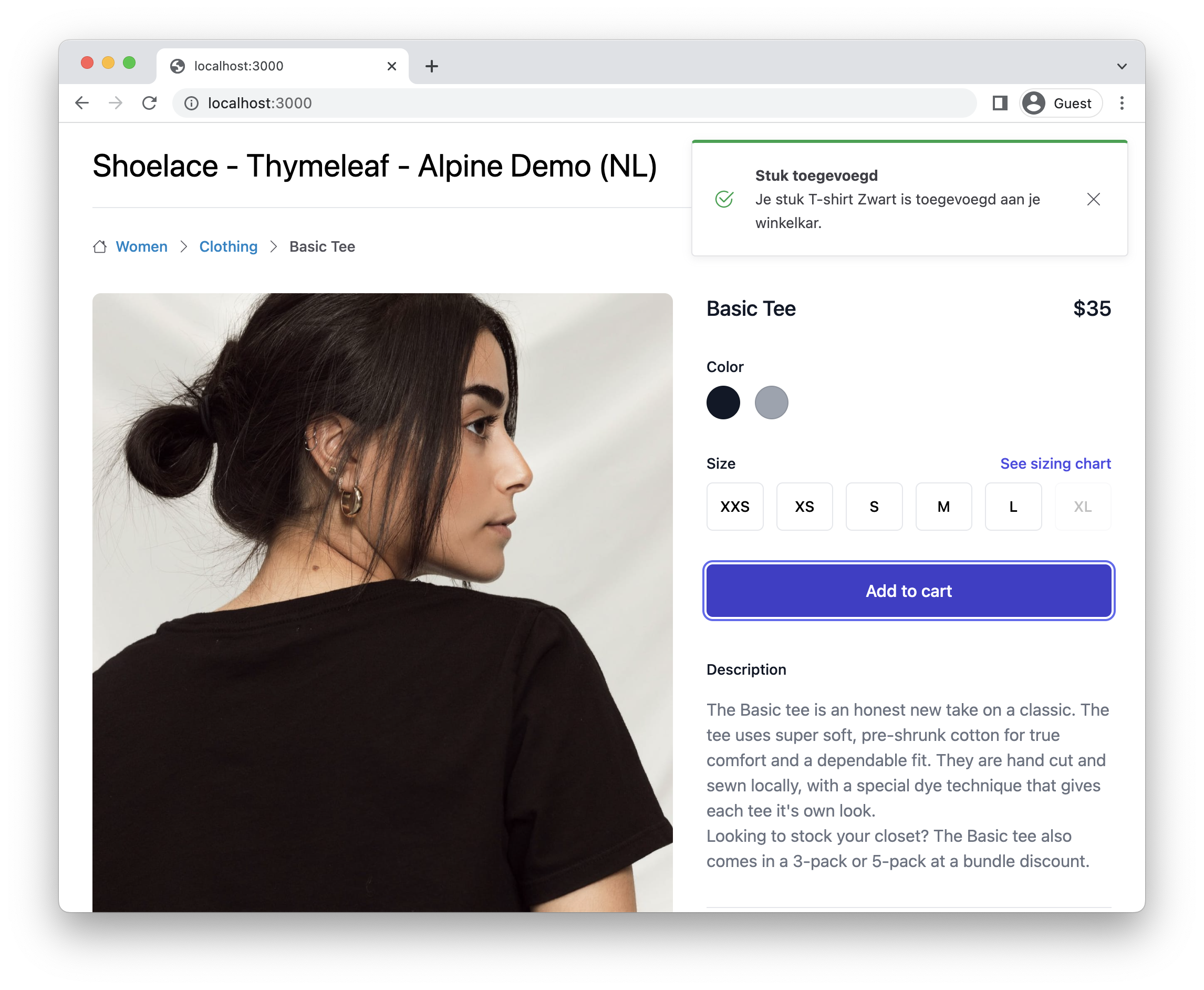
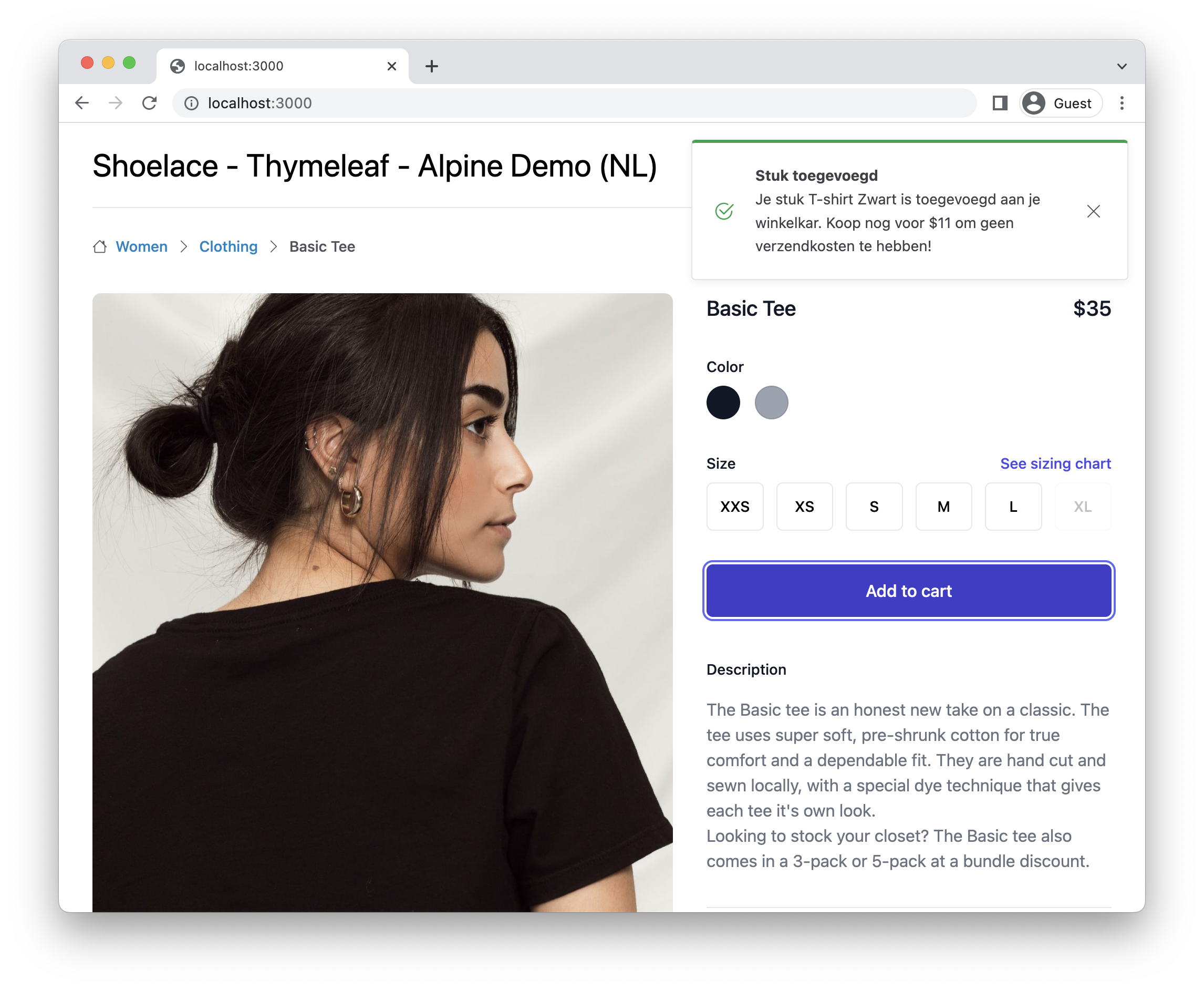
If we set our browser to the nl-NL locale (You can do this in the 'Sensors' menu item of Chrome Developer Tools), we see the messages are properly translated:
Bonus: translate the message in JavaScript
With this setup, we don’t need any custom JavaScript anymore to show the notifications coming back from the controller. However, it is still possible that the browser sends out the request and no response comes back, or there was an exception that we did not handle in our controller.
To ensure we also show something to the user, we still need a bit of JavaScript like in part 1.
It does not mean we have to give up on a proper translation. We can re-use the translation we have on the server like this:
<script layout:fragment="js-content" th:inline="javascript"> (1)

    document.addEventListener('htmx:responseError', () => {
        notifyError(/*[[#{application.error}]]*/); (2)
    });

    ...
</script>| 1 | Indicate to Thymeleaf that this is a JavaScript fragment where you want to use Thymeleaf expressions. |
| 2 | Use a string literal to get the translation of the application.error translation key. |
When Thymeleaf rends the HTML page, the result will be:
<script layout:fragment="js-content" th:inline="javascript">

    document.addEventListener('htmx:responseError', () => {
        notifyError('There was a problem communicating with the server.');
    });

    ...
</script>
If the browser language is set to Dutch, it will render as:
<script layout:fragment="js-content" th:inline="javascript">

    document.addEventListener('htmx:responseError', () => {
        notifyError('Er was een communicatie probleem met de server.');
    });

    ...
</script>
Conclusion
Shoelace, htmx and Alpine are a very powerful combination, given very nice results with minimal code.
See shoelace-thymeleaf-alpine on GitHub for the full sources of this example.
If you have any questions or remarks, feel free to post a comment at GitHub discussions.