Java · Spring · Thymeleaf · Htmx
Production-ready Spring Boot, crafted carefully.

I'm Wim Deblauwe, a software developer specialized in Java and Spring. I write books, maintain open-source projects like error-handling-spring-boot-starter, and publish practical, battle-tested articles here.
just start typing — try thymeleaf, testcontainers or htmx
New book

Crafting Spring Boot Starters
Design, build, test, and publish auto-configuration libraries on Spring Boot. Learn the ins and outs of developing production ready Spring Boot starters.
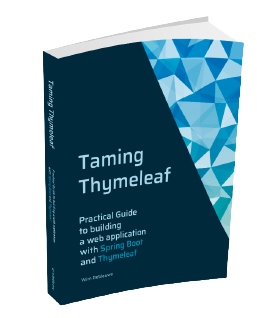
Taming Thymeleaf
Server-side rendering with Spring Boot, step by step.

Modern frontends with htmx
Hypermedia-driven UIs with Spring Boot & Thymeleaf.
Recent posts
showing 10 of 131- May 3, 2011 Entering the JIRA database values plugin in the Atlassian codegeist competition I just entered my JIRA Database Values Plugin in the Atlassian Codegeist competition. You can view my entry here: http://codegeist.atlassian.com/entry/167349 I uploaded a video with it to make it more visual. I was quite surprised to find it so easy to do on my Ubuntu (just updated to 11.04). Installed recordMyDesktop to do the actual screencast recording: sudo apt-get install gtk-recordmydesktop This will install a program shortcut called 'Desktop recorder'. Once running, there is a handy systray icon to start and stop the recording.
- Apr 11, 2011 Release JIRA Database Values Plugin 1.3.0 A new JIRA Database Values plugin has been released, see https://plugins.atlassian.com/plugin/details/4969 for download. The major change is compatibility with JIRA 4.3. There are some additional minor improvements like: Use the internal JIRA db if no connection parameters are defined in the properties file Honor the sort order used in the SQL query when using cascading comboboxes Fix for Z-order if the AJAX popup appears over some other elements (thanks to Edgars Fabricius for providing a patch)
- Feb 7, 2011 Validation of multiple email addresses in flex For our flex application, I had a 'cc' field that could handle multiple email addresses. When adding validation, I first used the standard EmailValidator class. However, this would not work as soon as you want to add multiple email addresss, like: foo@company.com;bar@company.com Luckily, creating a custom validator to handle this case is quite easy: import mx.validators.EmailValidator; import org.as3commons.lang.StringUtils; /** * This validator allows validation of multiple email addresses * that are separated by a semicolon (;) */ public class CompositeEmailValidator extends EmailValidator { public function CompositeEmailValidator() { } override protected function doValidation( value:Object ):Array { var result:Array = []; var emailsString:String = String( value ); var emails:Array = StringUtils.tokenizeToArray( emailsString, ";" ); for each (var email:String in emails) { var emailResult:Array = super.doValidation( email ); if (emailResult.length > 0) { result = result.concat( emailResult ); } } return result; } }
- Jan 20, 2011 JIRA Database values plugin new release 1.2 I am very proud on this new release of my jira database values plugin. Not only does it have a bunch of really nice additions (which I am going to explain a bit more in detail here), but there are also a lot of people that have helped this release by providing bug reports, patches, … 1) JQL Function to search on 'secondary' attributes I am most proud of this one, because I think it will be really useful to a lot of people. Suppose you link to your customer database and would like to know how many issues are coming from customers in Belgium. This was almost impossible to do before, but with the new dbValuesMatching JQL function, it is a piece of cake:
- Jan 13, 2011 JQL query for the jira database values plugin I have just finished implementing a custom JQL query for the jira database values plugin. It allows to search on anything you want related to the value you have in your custom field. Take the example of a "Customer" custom field that links to a customer table in a database. Previously it was not possible to search for all issues linked to the customers from a certain country for example. With the new JQL query, it is as easy as:
- Dec 10, 2010 Make IntelliJ IDEA X look great on Linux The new IntelliJ IDEA, called X, is out and there are lots of new goodies in there. For my day-to-day job, the most important is the improved Flex support. I work on Ubuntu 10.10 and by default IntelliJ does not look that great. This is a screenshot of the file menu: Go to File > Settings and select Appearance in the list. Check the Override default fonts by checkbox and select 'DejaVu Sans' from the list of fonts:
- Nov 29, 2010 Flex gotchas for Java programmers As a long time Java programmer switching to Flex, I have had some real gotcha moments. I want to share a few so you don’t fall into the same pitfalls as I have done. Casting Equals (or the lack of it) Setter optimization Casting In Java, you cast an object to a class or interface as follows: Object obj = ... String str = (String)obj;
- Oct 18, 2010 How to expose your flex test code to other Maven modules using flex mojos If you use Maven, you most probably use the excellent flex-mojos plugin to build your flex code. This post will show you how to expose the test code (that does not get included in your normal swc or swf) to other maven modules or projects. This is most useful on bigger projects where you might have some abstract test classes you want to share or builder classes for complex domain objects that you need to create over and over again in unit tests.
- Oct 13, 2010 New (bugfix) release JIRA Database Values Plugin 1.1.1 Quick update: there is a new release of the JIRA Database Values Plugin 1.1.1 because there was an issue with 1.1 if you had issues without a value assigned for your custom field. Download the new version here: https://plugins.atlassian.com/plugin/details/4969
- Oct 9, 2010 New release JIRA Database Values Plugin 1.1 I am proud to announce a new 1.1 version of the JIRA Database Values Plugin. It has the following improvements: Support AJAX lookup in searching: If you use the simple mode for searching in JIRA, you can now select a value from your custom field via AJAX lookup. This makes it a lot easier then that long list of items you might have in the default search mode. The only drawback is that you can only select 1 item. The list allows multi-selection. Use the search.type property in your configuration file to select with search mode you want to use. Support for history and activity view: You can now choose how your value is rendered in the history view and the activity views. In previous versions, the primary key was displayed, which is usually not what you want. Use rendering.changelog.viewpattern in the configuration file to configure this. Note that it is optional as the rendering.viewpattern will be used by default. Support for statistics views: You can now use your custom field in a pie chart, 2d statistics filter and single level group by report. If you want to set a different rendering pattern for these views, use the rendering.statistics.viewpattern key in your properties file. Note that this one does not support HTML, so if your rendering.viewpattern has HTML, you need to add this key and provide a pattern that does not use HTML. Choose how to render NULL values: Previous releases of the plugin always rendered a NULL value as 'Unknown'. As of this release, it will be rendered as an empty string. You can override what is shown by using this: rendering.viewpattern={0} {1,N/A}
no matches for "" — browse the full archive →