Java · Spring · Thymeleaf · Htmx
Production-ready Spring Boot, crafted carefully.

I'm Wim Deblauwe, a software developer specialized in Java and Spring. I write books, maintain open-source projects like error-handling-spring-boot-starter, and publish practical, battle-tested articles here.
just start typing — try thymeleaf, testcontainers or htmx
New book

Crafting Spring Boot Starters
Design, build, test, and publish auto-configuration libraries on Spring Boot. Learn the ins and outs of developing production ready Spring Boot starters.
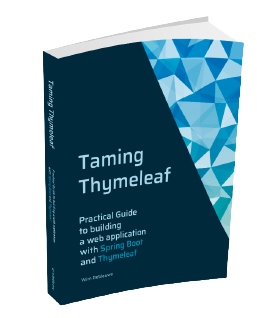
Taming Thymeleaf
Server-side rendering with Spring Boot, step by step.

Modern frontends with htmx
Hypermedia-driven UIs with Spring Boot & Thymeleaf.
Recent posts
showing 10 of 131- Sep 18, 2017 Using Spring Boot with JavaFX In my previous post, I showed how to use JavaFX with the Raspberry Pi 3. I promised there to follow up with a post on using Spring Boot with JavaFX, so here it goes. Just as an example, I will be using the REST API service of the Open AQ Platform API as it is simple and does not require any authentication to get started. Initial Setup We will be using Maven, so we start with a minimal pom.xml that includes the latest Spring Boot version (1.5.7 at the time of writing):
- Aug 26, 2017 Using JavaFX on Raspberry Pi 3 with Gluon In this post, I am going to detail the steps to get a simple JavaFX application running on the Raspberry Pi 3 using Gluon. Hardware For this setup, I used the Raspberry Pi 3 with the official 7" touchscreen connected. Raspbian Installation First off, download Raspbian from https://www.raspberrypi.org/downloads/raspbian/. I chose the "RASPBIAN STRETCH WITH DESKTOP" version and burned it on an SD-card using Etcher. Insert the SD-card in the Raspberry Pi and let it boot. The screen should look like this when done:
- Jul 24, 2017 Enable preview of Spring REST Docs snippets in IntelliJ IDEA If you use Spring REST Docs, you will be using the Asciidoctor include directive a lot to include the request and responses that are generated from the unit tests. Drawback is that the Asciidoctor plugin for IntelliJ IDEA will not render them by default and looks like this: The reason is simple, the snippets attribute is only available when running the Maven or Gradle task to build the final documentation.
- Mar 13, 2017 Using ServletUriComponentsBuilder with Nginx Spring’s ServletUriComponentsBuilder.fromCurrentRequest() can be really convinient to build an URL from the current request. However, when using Nginx, things might work so well. The solution is simple, just add these headers to your Nginx configuration file: proxy_set_header X-Forwarded-Host $host:443; proxy_set_header X-Forwarded-Server $host; proxy_set_header X-Forwarded-Port 443; proxy_set_header X-Forwarded-Proto https; UPDATE 2020-06-08 You need to enable support for this in Spring Boot by setting the following property (Since Spring Boot 2.2): server.forward-headers-strategy=native
- Jan 22, 2017 AssertJ custom assertion for ConstraintValidator tests As a follow-up to my last post on a custom validator to check if a String contains XML, I like to elaborate on how I made the unit test so readable. To repeat, here is part of the unit test again with the assertions highlighted: @Test public void givenNoXml_notValid() { ValidatorFactory factory = Validation.buildDefaultValidatorFactory(); Validator validator = factory.getValidator(); TestObject testObject = new TestObject("This is no XML string"); Set<ConstraintViolation<TestObject>> violationSet = validator.validate(testObject); assertThat(violationSet).hasViolationOnPath("xml"); } @Test public void givenXml_valid() { ValidatorFactory factory = Validation.buildDefaultValidatorFactory(); Validator validator = factory.getValidator(); TestObject testObject = new TestObject("<Node>test</Node>"); Set<ConstraintViolation<TestObject>> violationSet = validator.validate(testObject); assertThat(violationSet).hasNoViolations(); }
- Jan 21, 2017 Custom Validator to check if a String contains XML This blog post will show you how to create a custom validator to check if a String contains valid XML using the Java Validation API. Suppose you have a highly technical application that requires the user to enter some XML in a web form. You want to validate this on the client side, but also on the server side, since you should never trust your client. For the purpose of the example, suppose you have this entity:
- May 5, 2016 Angular datatables with server side pagination using Spring Data We are using angular-datatables in a project. So far, we just returned all entities from the server’s REST controller (Using Spring Boot and Spring Data on the server side). I wanted to see how I could implement server side pagination to avoid returning all records at once. I was lucky to find spring-data-jpa-datatables which makes it very easy to do. First, add the dependency in your pom.xml: <dependency> <groupId>com.github.darrachequesne</groupId> <artifactId>spring-data-jpa-datatables</artifactId> <version>2.1</version> </dependency>
- Apr 1, 2016 AssertJ custom assertion for testing ConstraintValidator implementations If you want to unit test a ConstraintValidator with AssertJ, then you can use this custom validator to make the tests more readable: import org.assertj.core.api.AbstractAssert; import javax.validation.ConstraintViolation; import java.util.Set; import java.util.stream.Collectors; public class ConstraintViolationSetAssert extends AbstractAssert<ConstraintViolationSetAssert, Set<? extends ConstraintViolation>> { public ConstraintViolationSetAssert(Set<? extends ConstraintViolation> actual) { super(actual, ConstraintViolationSetAssert.class); } public static ConstraintViolationSetAssert assertThat(Set<? extends ConstraintViolation> actual) { return new ConstraintViolationSetAssert(actual); } public ConstraintViolationSetAssert hasViolationOnPath(String path) { isNotNull(); // check condition if (!containsViolationWithPath(actual, path)) { failWithMessage("There was no violation with path <%s>. Violation paths: <%s>", path, actual.stream() .map(violation -> violation .getPropertyPath() .toString()) .collect( Collectors .toList())); } return this; } private boolean containsViolationWithPath(Set<? extends ConstraintViolation> violations, String path) { boolean result = false; for (ConstraintViolation violation : violations) { if (violation.getPropertyPath().toString().equals(path)) { result = true; break; } } return result; } }
- Sep 30, 2015 Read only EntryProcessors with Hazelcast This post is a follow-up on my post EntryProcessors and EntryBackupProcessors with Hazelcast. In the comments, Peter Veentjer from Hazelcast gave me the idea to use an EntryProcessor to read part of the data. I will show you below how to best do this. We start with a cache that has 10 User objects in it and we want to retrieve the user names of all users in the cache. Without an entry processor We can get the list of names without using an entry processor. For example:
- Sep 29, 2015 EntryProcessors and EntryBackupProcessors with Hazelcast Hazelcast has the concept of EntryProcessors (like Oracle Coherence). EntryProcessors allow to update cache entries without having to pull over the actual values. You move the processing to where the value lives and update the cache there. Furthermore, Hazelcast has the notion of EntryBackupProcessor (which Coherence does not have). To explain the usage of this, we will use a simple User class: class User implements Serializable { private long id; private String name; private DateTime lastLoginTime; // getters and setters omitted }
no matches for "" — browse the full archive →