Java · Spring · Thymeleaf · Htmx
Production-ready Spring Boot, crafted carefully.

I'm Wim Deblauwe, a software developer specialized in Java and Spring. I write books, maintain open-source projects like error-handling-spring-boot-starter, and publish practical, battle-tested articles here.
just start typing — try thymeleaf, testcontainers or htmx
New book
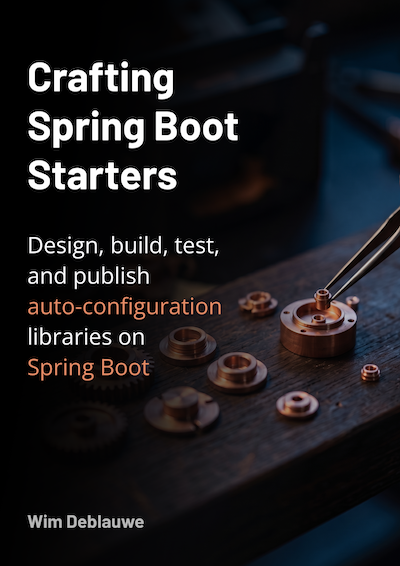
Crafting Spring Boot Starters
Design, build, test, and publish auto-configuration libraries on Spring Boot. Learn the ins and outs of developing production ready Spring Boot starters.
Taming Thymeleaf
Server-side rendering with Spring Boot, step by step.
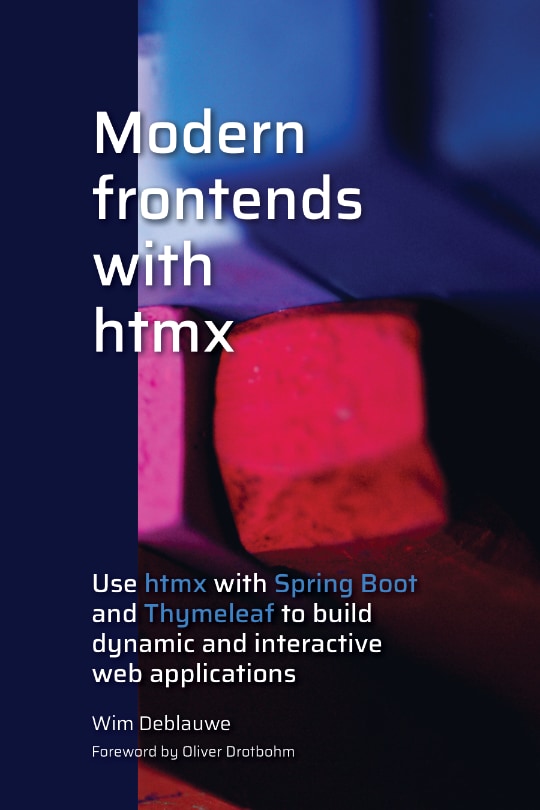
Modern frontends with htmx
Hypermedia-driven UIs with Spring Boot & Thymeleaf.
Recent posts
showing 10 of 131- Jun 15, 2019 Running Cypress tests with TestContainers for a Spring Boot with Thymeleaf application UPDATE: The full test class code in this post does not actually fail the test when the Cypress tests fail. See my updated example at ./blog/2019/06/16/ensure-junit-test-fails-when-cypress-tests-fail/[Ensure JUnit test fails when Cypress tests fail]. At the last ng-be conference I saw a demo of Cypress. Cypress allows to do functional testing of your web application, quite similar to Selenium for example, but still quite different. Ever since that time, I wanted to try it out, but never got around to it until this week. My application is not a Single Page Application, but after reading the post End-to-End Testing Web Apps: The Painless Way I was convinced that it should be doable for my Spring Boot application that uses Thymeleaf for Server Side Rendering of the HTML pages.
- Feb 21, 2019 Announcing BIOB an binary object storage library I am announcing a new open-source project I am working on: BIOB It is still very early days, but there is already a fully functional local file system implementation and an in-memory implementation for testing. See https://github.com/wimdeblauwe/biob for full details and a usage example on how to use the library in your own project. It does not depend on Spring or Spring Boot, but I have used it in that context so far because that is what I use for all of my projects.
- Dec 24, 2018 Version 1.0.2 of Practical Guide to Building an API Back End with Spring Boot released You can download an updated version of my book 'Practical Guide to Building an API Back End with Spring Boot' from InfoQ: https://www.infoq.com/minibooks/spring-boot-building-api-backend The changelog can be viewed at https://wimdeblauwe.wordpress.com/my-spring-boot-book/
- Sep 26, 2018 Switching between JDK 8 and 11 using SDKMAN I have written about switching JDK versions on your mac before. With JDK 11 now being out, it is time to give an updated version.
- Sep 10, 2018 Spring Boot book published via Infoq I am so happy because today my Spring Boot book is finally available! See https://www.infoq.com/minibooks/spring-boot-building-api-backend for all the details.
- Aug 30, 2018 Tip on migration to Spring Boot 2 when using Flyway Spring Boot 1.5.x uses Flyway 3 while Spring Boot 2.x uses Flyway 5. According to the official migration guide for Spring Boot 2, you need to do 2 releases to be able to migrate an application from Spring Boot 1 to Spring Boot 2 if you are using Flyway: First upgrade your 1.5.x Spring Boot application to Flyway 4 (4.2.0 at the time of writing), see the instructions for Maven and Gradle. Once your schema has been upgraded to Flyway 4, upgrade to Spring Boot 2 and run the migration again to port your application to Flyway 5.
- Jul 6, 2018 Datadog integration with AWS Elastic Beanstalk for Spring Boot application If you have an application deployed on AWS Elastic Beanstalk and you want to add Datadog integration to it, then these instructions might help you out. I started out with the instructions at https://www.datadoghq.com/blog/deploy-datadog-aws-elastic-beanstalk/ but they use the older version 5 of the datadog-agent and not the newer version 6. In your source code, you normally have a .ebextensions folder to configure the Elastic Beanstalk deployment. Inside that folder, create the following files (Create directories as needed):
- Jun 10, 2018 PageImpl JSON serialization with Spring Boot 2 During the migration of a Spring Boot application from 1.5.13 to 2.0.2, some of my Spring Rest Docs tests started failing. The reason being that some of my RestController s return a org.springframework.data.domain.PageImpl object (from Spring Data Commons). @RestController public class MyRestController { @GetMapping public PageImpl<SomeDtoObject> listAll() { ... } }
- Oct 8, 2017 Building an AsciidoctorJ extension to execute JavaScript I love using Asciidoctor for writing documentation. I mainly got to know it through the excellent Spring REST Docs project. I wanted to build an extension (kind of a plug-in) for Asciidoctor. As I don’t know Ruby, writing an extension in Ruby was a bit too much. Luckily, there is AsciidoctorJ (The JVM version of Asciidoctor) which lets me write extensions in any JVM language. Here, we will be using plain Java, but Groovy for example would work equally well.
- Sep 20, 2017 Using Spring Boot with JavaFX - Using Spring Profiles In the previous post, I showed ./blog/2017/09/18/using-spring-boot-with-javafx/[how to get started with Spring Boot and JavaFX]. Continuing with the same example, we are going to create a new implementation of the CountryService interface that talks to the Open AQ Platform API so the list of countries will be a lot bigger than our HardcodedListCountryService we have now. Using Retrofit First, we add 2 dependencies in our pom.xml to be able to use Retrofit:
no matches for "" — browse the full archive →